EH-500/600 Installation Manual
Page 24
2.6 Mounting the EtherHaul
This section details the monting instructions of the EH-700/710 using the EH-MK-SM
mounting kit.
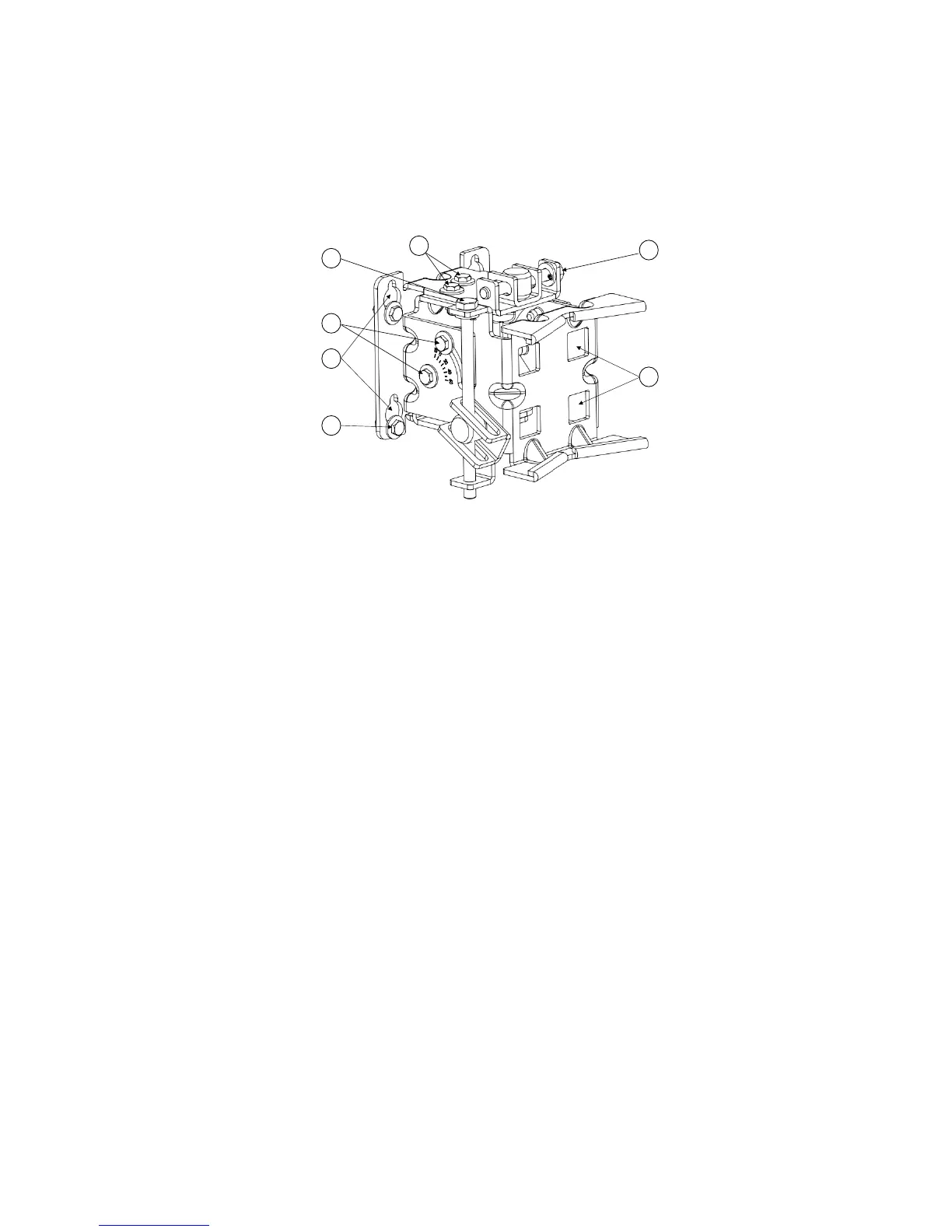
1. Elevation Lock Bolts (2 additional bolts at opposite side of
the mount) 7mm Hex
2. Elevation Fine Adjustment Bolt (+10°to -60°) 10mm Hex
3. Azimuth Fine Adjustment Bolt (±10°) 10mm Hex
4. ODU Fixing Slots
5. Azimuth Lock Bolts (2 additional bolts at opposite side of
the mount)
6. Worm Clamps Fixing Sockets
7. 7mm Hex bolts to be attached to the ODU (x 4)
Figure 2-1 EH-MK-SM Mounting Bracket
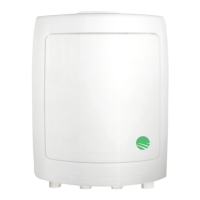
1. Unpack the ODU and the Mounting Bracket.
2. In order to allow free movement during alignment, unlock the Elevation and
Azimuth Lock Bolts and position the bracket at 0 degrees.
3. Use 4 x 7mm Hex Bolts (part of the Mounting Bracket kit) and apply them to the
back of the ODU, assuring minimum gap of ~5mm, to allow sliding them on the
Mounting Bracket.
4. Use the 2x worm clamps (steel bands that are part of the Mounting Bracket kit)
to secure the bracket to the pole.
The ODU and the Mounting Bracket should be mounted on a fixed reinforced
steel mounting pole with 2-4 inches diameter.
5. Attach the ODU to the Mounting Bracket by sliding it on the 4 fixing slots and
lock the bolts.
Note that a 7mm flat open-end wrench is needed!



 To Next Page