EH-500/600 Installation Manual
Page 33
3.1 Connecting to the ODU Using the Web-Based Management
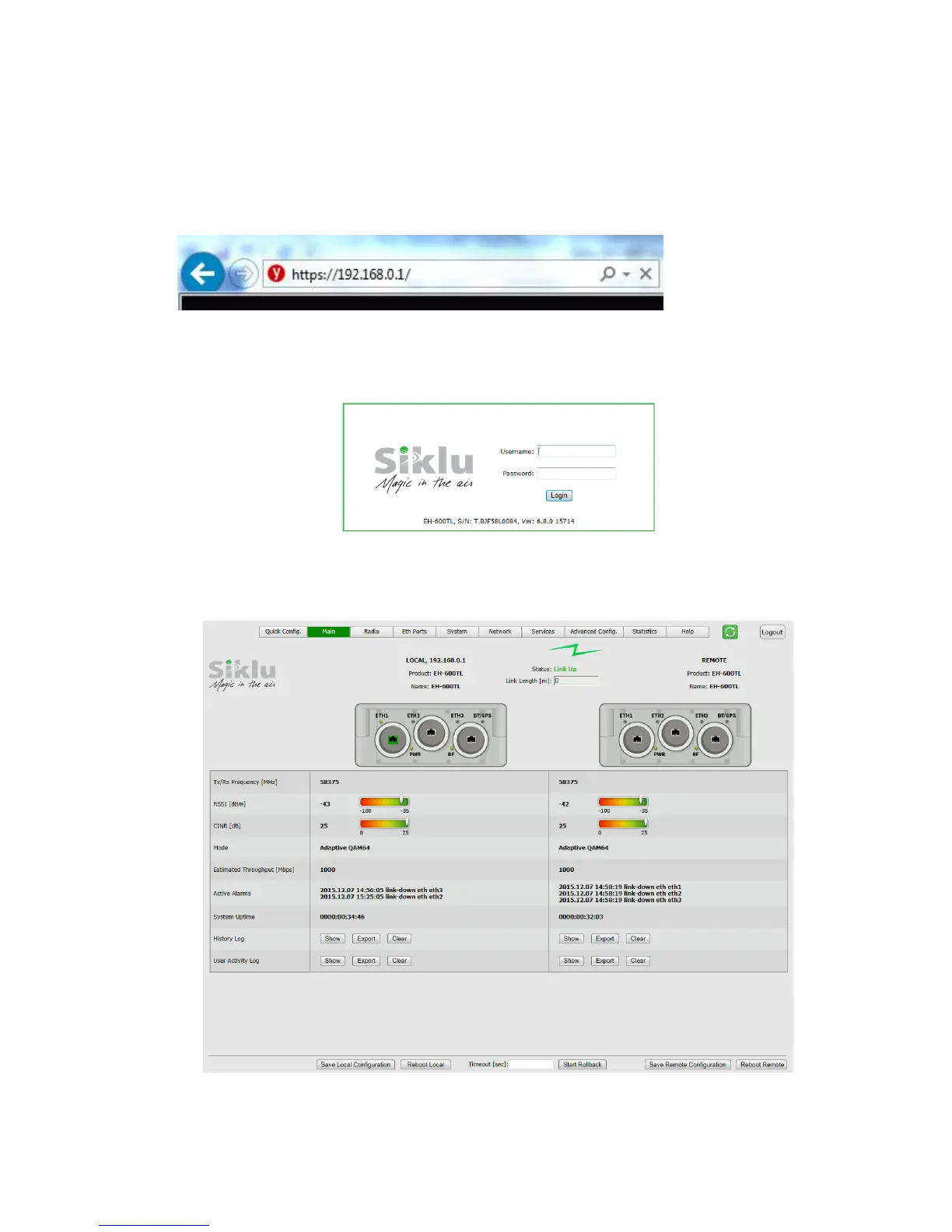
1. Launch an Internet Browser and enter https:// followed by the ODU’s IP address.
The ODU’s default IP address is 192.168.0.1.
Figure 3-1 Launching the Web-Based Management
2. When prompted, enter the username and password. Default: admin and admin.
Figure 3-2 Entering Username and Password
3. Once loaded, the Web-Based Management Main page is displayed.
Figure 3-3 Web-Based Management Main Page



 To Next Page