EH-500/600 Installation Manual
Page 38
3.4.2 Quick Configuration: Step 2 – Radio
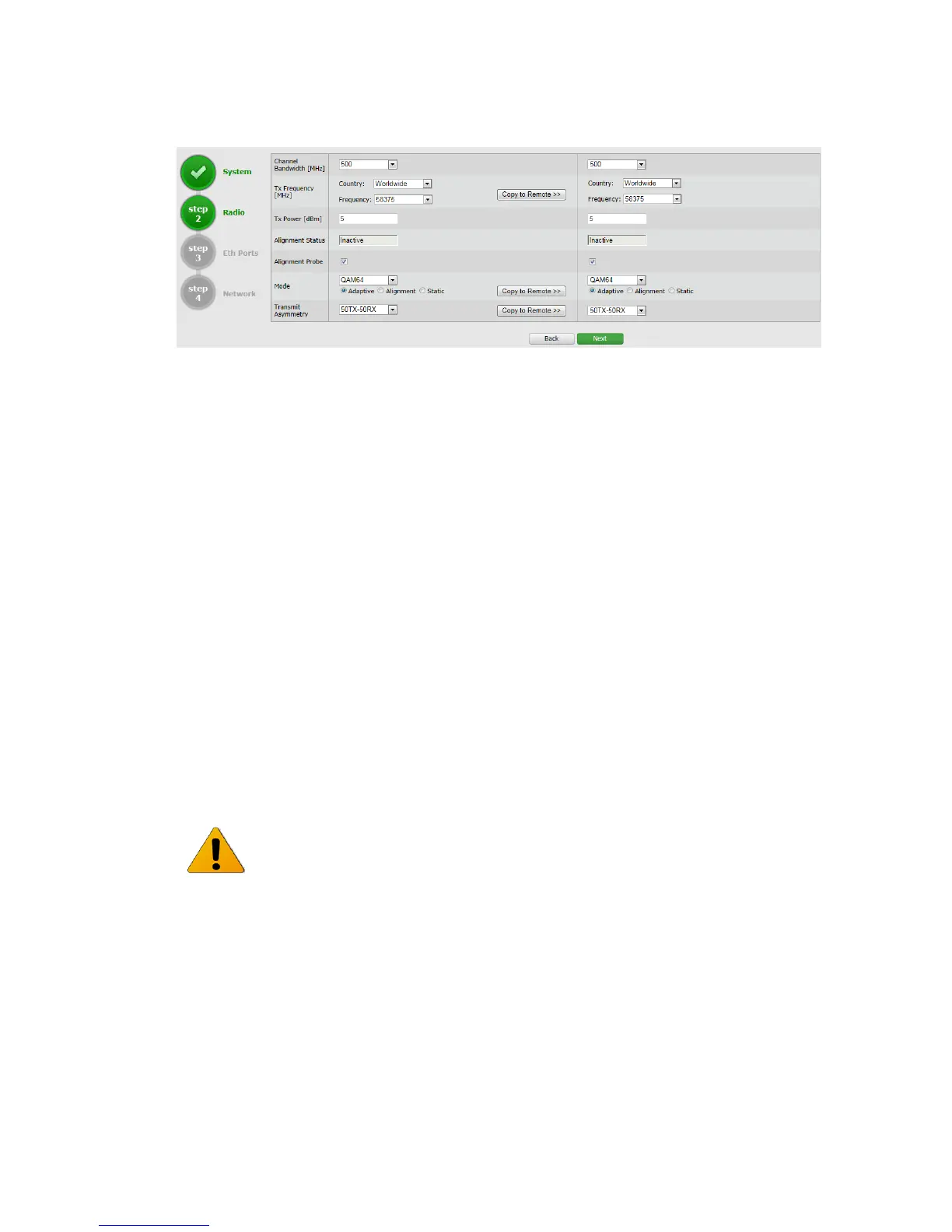
Figure 3-6 Quick Config Page: Step 2 - Radio
This section allows configuring the following parameters:
Channel Bandwidth [MHz] – 125, 250 or 500MHz (default is 500MHz).
Tx Frequency [MHz] – transmit frequency. For TDD systems – identical Tx and Rx
frequencies. Frequency range for EH-500T/TX, EH-600T/TX is between 57xxxMHz
and 71xxxMHz.
Select a frequency from the drop down list, after setting the country per the
procedure below.
Country – choose the country you operate in for list of specificly supported
channels. Default is Worldwide (all channels available). Country: it is the user
responsibility to follow local country spectrum regulations by selecting the correct
value per actual location of the radio (e.g: US for USA, UK for United Kingdom, etc...)
Tx Power [dBm] – ODU’s transmit power. Default is the max power, based on
product’s specs. Minimum configurable Tx power is -35dBm (note that actual
minimum Tx power is based on product’s specs).
The Tx power value sets the transmit power for the highest modulation profile.
In case lower modulation profile(s) has higher max Tx power (based on product’s
specs), the Tx power will be increased automatically without indication in RF
configuration menu.
Mode – operational mode of the link:
o Alignment – Carrier Wave transmission. Used for antenna alignment. No
data over the radio link.



 To Next Page