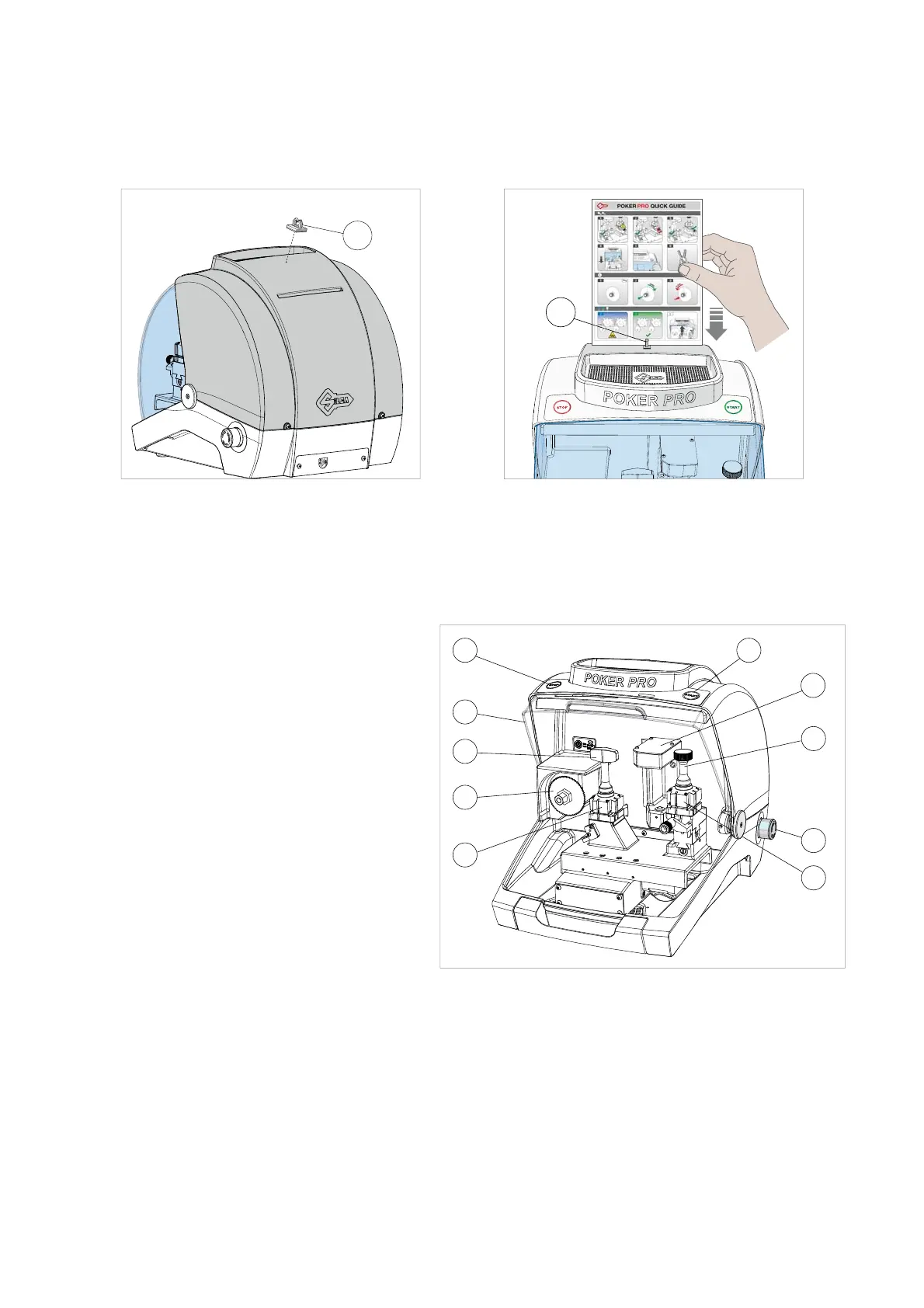
3.4.3 Quick Guide
It’s possible apply the Quick Guide sheet to the cover of the machine, using one of the supplied adhesive hooks
(Z1) (Ch.1.4).
Z1
Z1
Fig. 14 Fig. 15
3.5 WORK STATION DESCRIPTION
One operator is enough to operate the machine, which has the following operating parts:
• General ON/OFF/emergency button (R) located
on the right-hand side of the machine
• START button (A)
• STOP button (B)
• Safety shield (C)
• CUTTER (F)
• Clamp (M) for key blank - CUTTER side
• OPTICAL READER (H)
• Clamp (P) for original key - OPTICAL READER
side
• Clamp-tightening knob (M1) (P1)
Fig. 16
MACHINE POWER ON
To turn on the cutting machine, connect it to the mains and turn the red ignition/emergency button (R).
P
M
F
C
B A
M1
P1
H
R
Operating manual POKER PRO
Copyright Silca 2019
12



 To Next Page