8 MAINTENANCE
ATTENTION: for repairs or replacement of parts for maintenance, the ‘CE’ mark is guaranteed
only if original spare parts provided by the manufacturer are used.
The POKER PRO key-cutting machine does not need special maintenance, but it is good practice to check and
if necessary replace parts subject to wear: cutter, clamps.
Replacement operations are simple and can be performed by the operator.
ATTENTION: DO NOT USE COMPRESSED AIR!
ATTENTION: to maintain machine effi ciency we recommend using protective oil such as
WD40 or similar to apply to the burnished mechanical parts. Make sure the oil does not come
into contact with the electronic parts.
Before performing any type of maintenance (checks or replacements) read the warnings below:
• Do not perform any maintenance operations with the machine on.
• Always disconnect the power lead.
• Follow the instructions in the manual carefully.
• Use original spare parts (see provided spare parts sheet).
8.1 OPERATIONS
• Removing / fi tting the clamps
• Replacing the cutter
• Access to rear compartment
• Checking and replacing fuse
• Replacing the top cover / keypad
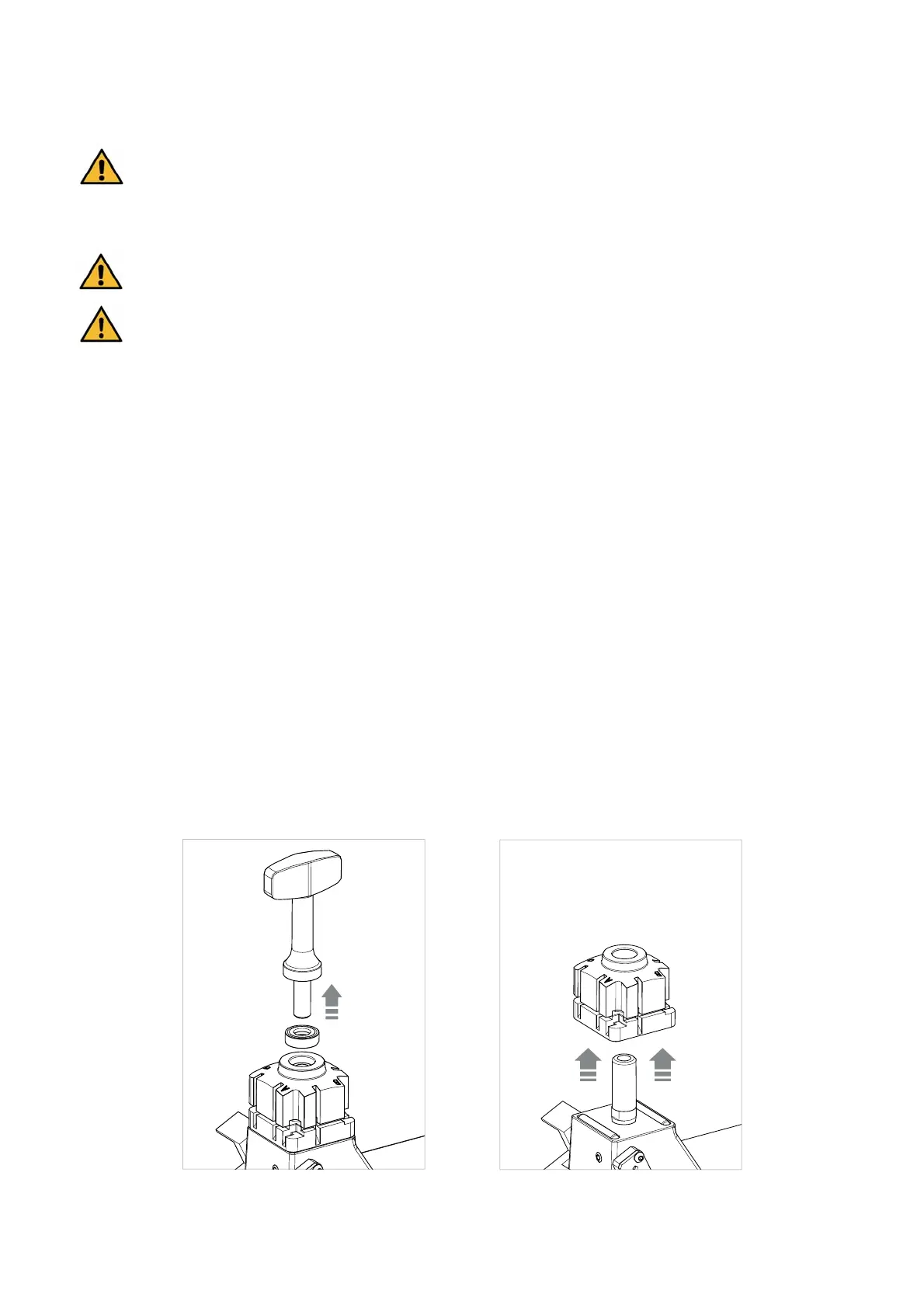
8.2 REMOVING / FITTING THE CLAMPS
1) Raise the safety shield.
2) Unscrew the knob and remove it with its ball bearing (Fig. 39).
3) Pull the clamp upwards (Fig. 40).
4) Carefully clean the seat of the clamp support.
5) Clean the clamp before fi tting into the support.
6) Tighten the knob with its ball bearing.
Fig. 39 Fig. 40
Operating manual POKER PRO
Copyright Silca 2019
22



 To Next Page