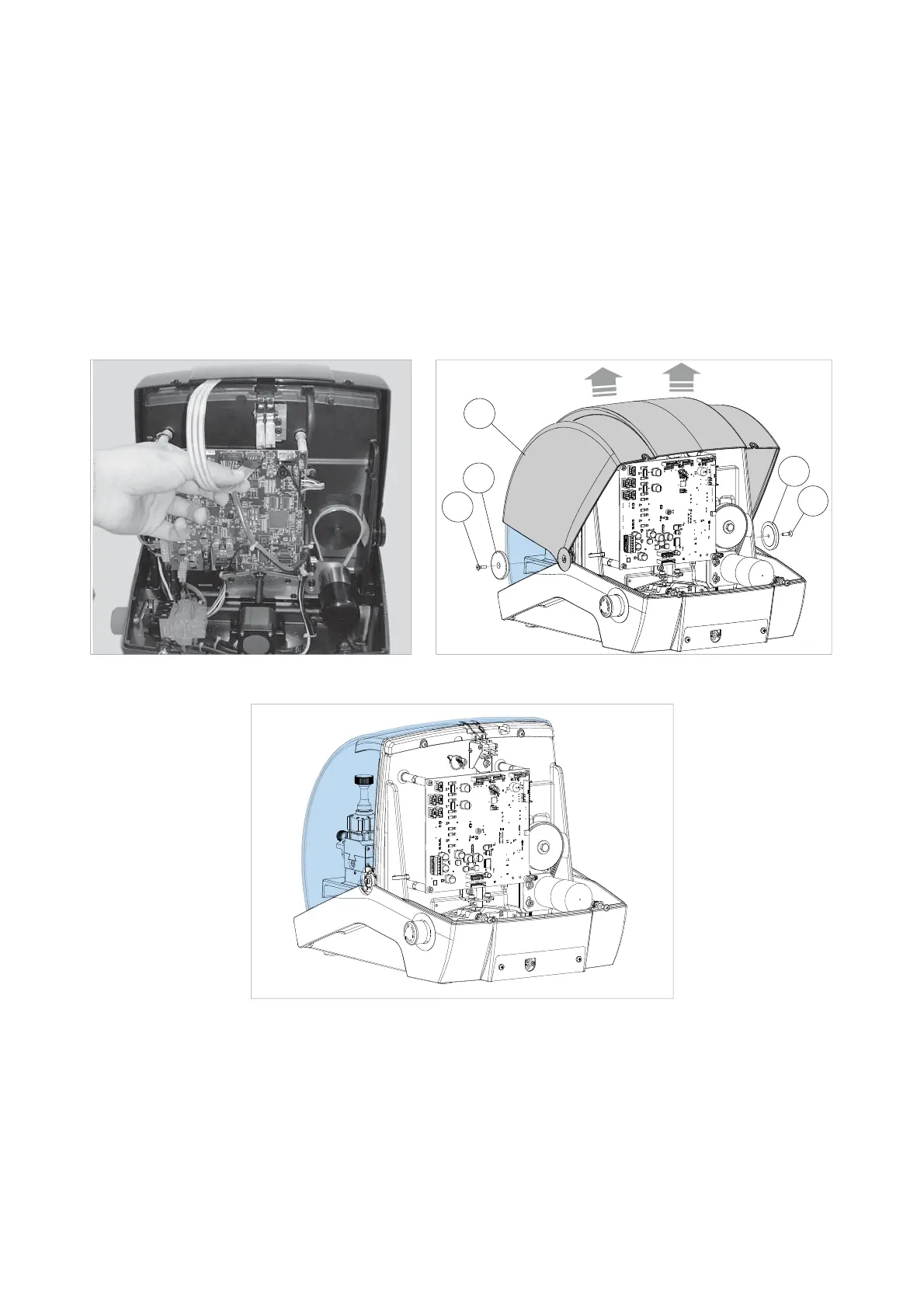
8.6 REPLACING THE TOP COVER / KEYPAD
1) Turn off the key-cutting machine and unplug.
2) Access the rear compartment (Ch.8.4).
3) Disconnect the keypad fl at cable (Fig. 47).
4) Remove the screws (E2) and washers (E3) (Fig. 48).
5) Remove the top cover (E) .
6) Place the new cover in position, paying attention to the keypad fl at cable.
7) Connect the keypad fl at cable to the circuit board.
8) Secure the cover (E) with the screws (E2) and washers (E3).
9) Tighten the two rear screws (E1).
E2
E3
E3
E
E2
Fig. 47 Fig. 48
Fig. 49
Operating manual POKER PRO
Copyright Silca 2019
25



 To Next Page