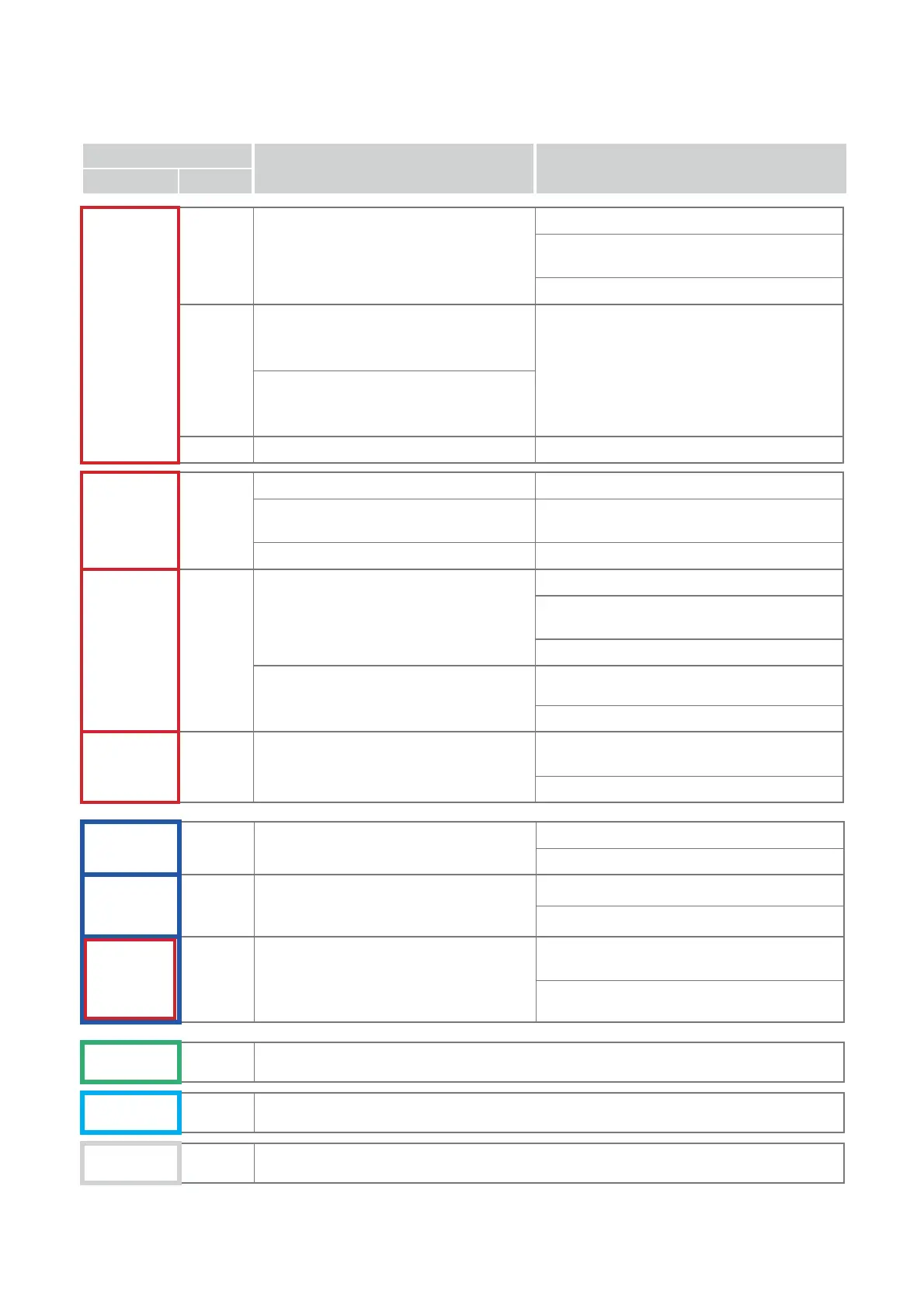
6 OPERATION OR ERROR INDICATION LIGHTS
SIGNAL
DESCRIPTION WHAT TO DO
LIGHT SOUND
RED
FIXED
-
• STOP button pressed with machine in motion
- Press STOP to re-position the carriages.
- Raise and lower the safety shield and press START
to re-position the carriages and re-start the cycle.
- Contact Silca After-Sales Service.
-
• Error X-Y axes motors
The carriages do not move after pressing START
and after 6 seconds the RED fi xed light illuminates.
- Contact Silca After-Sales Service.
• Error X-Y axes sensors
After pressing START the carriages move up
against the limit switch. The RED light illuminates.
-
• Fresa non alimentata
- Contact Silca After-Sales Service.
RED
2 FLASHES
2 BEEPS
• The safety shield is not closed
- Close the shield.
• The safety shield has never been raised
during the last operation
- Raise and lower the shield.
• Safety shield microswitch faulty
- Contact Silca After-Sales Service.
RED
3 FLASHES
(in groups of 2)
3 BEEPS
(in groups of 2)
• Cutter motor stalled
• Cutter locked on key
- Press STOP to re-position the carriages.
- Raise and lower the shield and press START to re-
position the carriages and re-start the cycle.
- Contact Silca After-Sales Service.
• Cutter locked
- Check for material blocking the cutter.
- Contact Silca After-Sales Service.
RED
4 FLASHES
(in groups of 2)
4 BEEPS
(in groups of 2)
• Gauge out of position
• Anomaly on gauge sensor
- Take the gauge to the original position (above the
sensor).
- Contact Silca After-Sales Service.
BLUE
2 FLASHES
2 BEEPS
• Optical reader obstructed or not working
- Clean the optical reader.
- Contact Silca After-Sales Service.
BLUE
4 FLASHES
(in groups of 2)
4 BEEPS
(in groups of 2)
• Key not found
- Fit the keys into the clamps.
- Contact Silca After-Sales Service.
4 BEEPS
(in groups of 2)
• Pitches lost during operation; the machine
resets the axes and then indicates an error.
- Check for foreign material obstructing carriage
movement.
- Contact Silca After-Sales Service.
GREEN
FIXED
-
• Operation completed
SKY BLUE
FIXED
-
• Operation in progress
WHITE
FIXED
-
• Safety shield open
BLUE RED
4 FLASHES
(in groups of 2)
Operating manual POKER PRO
Copyright Silca 2019
20



 To Next Page