Unocode 399 PLUS Operating manual - English
38 Copyright S ilca 2010
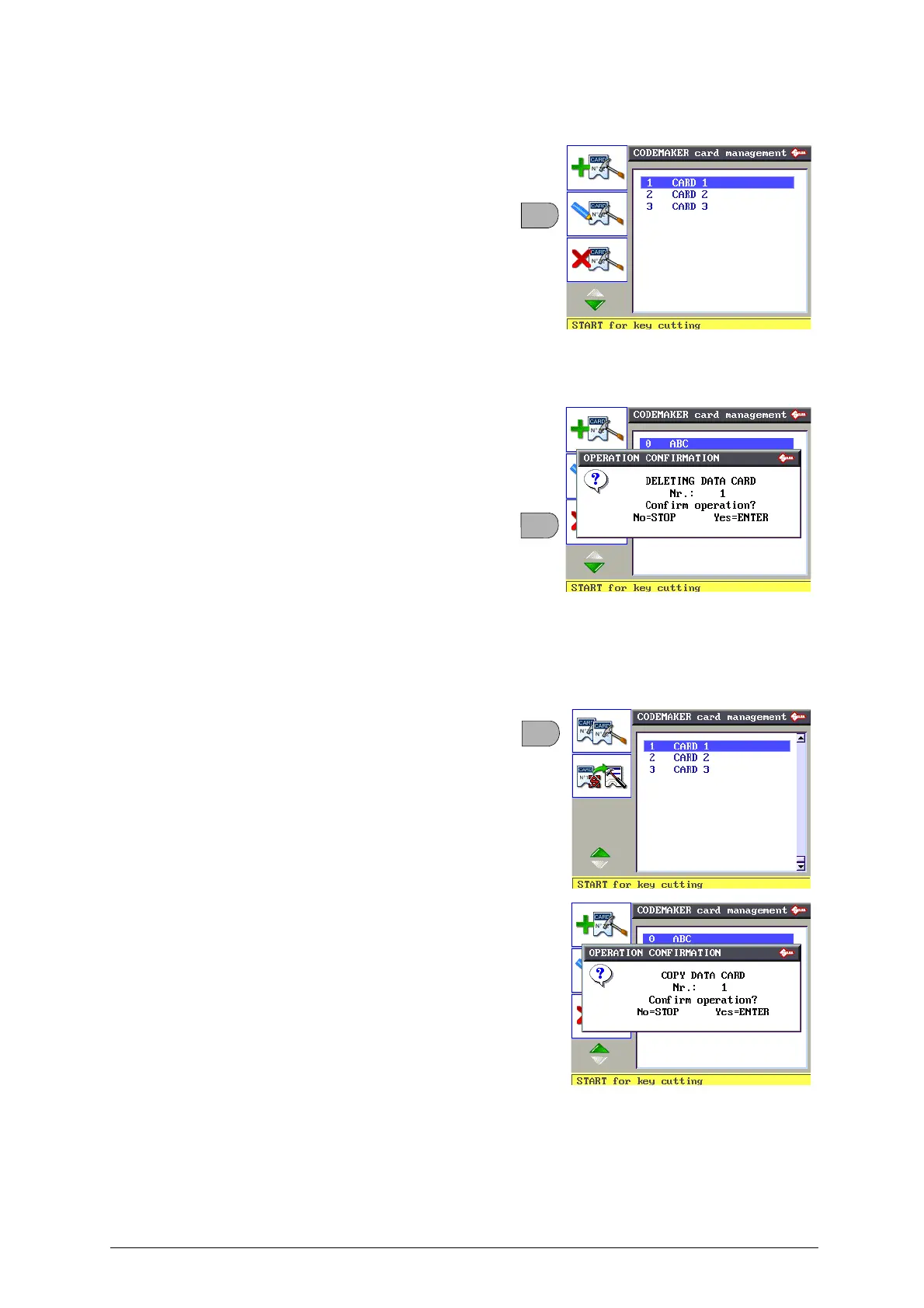
• Edit Data Card
This function is u sed to edit a card previo usly
created by CODEMAKER.
• Select the data card from the list and press F2.
• Follow the proce dure de scribed i n “ Create a
new Data Card” and edit the r equired
parameters.
ATTENTION: if error messages appear, see chap.5.11.4
"CODEMAKER messages", page 60.
• Delete Data Card
This function is used to el iminate a data card
previously created by CODEMAKER.
• Select the data card and press F3.
ATTENTION: when a card is deleted the number of
that card cannot be reused.
• Copy Data Card
This fun ction is used to copy a da ta card
previously created by CODEMAKER and edit its
parameters.
• Select the data card.
• Press F4 then F1.
•Press ENTER.
• Enter a description of the data card.
• Follow the pr ocedure described in “ Create a
new da ta ca rd” and edit the required
parameters.



 To Next Page