–
User manual
4.4 Text Overlays
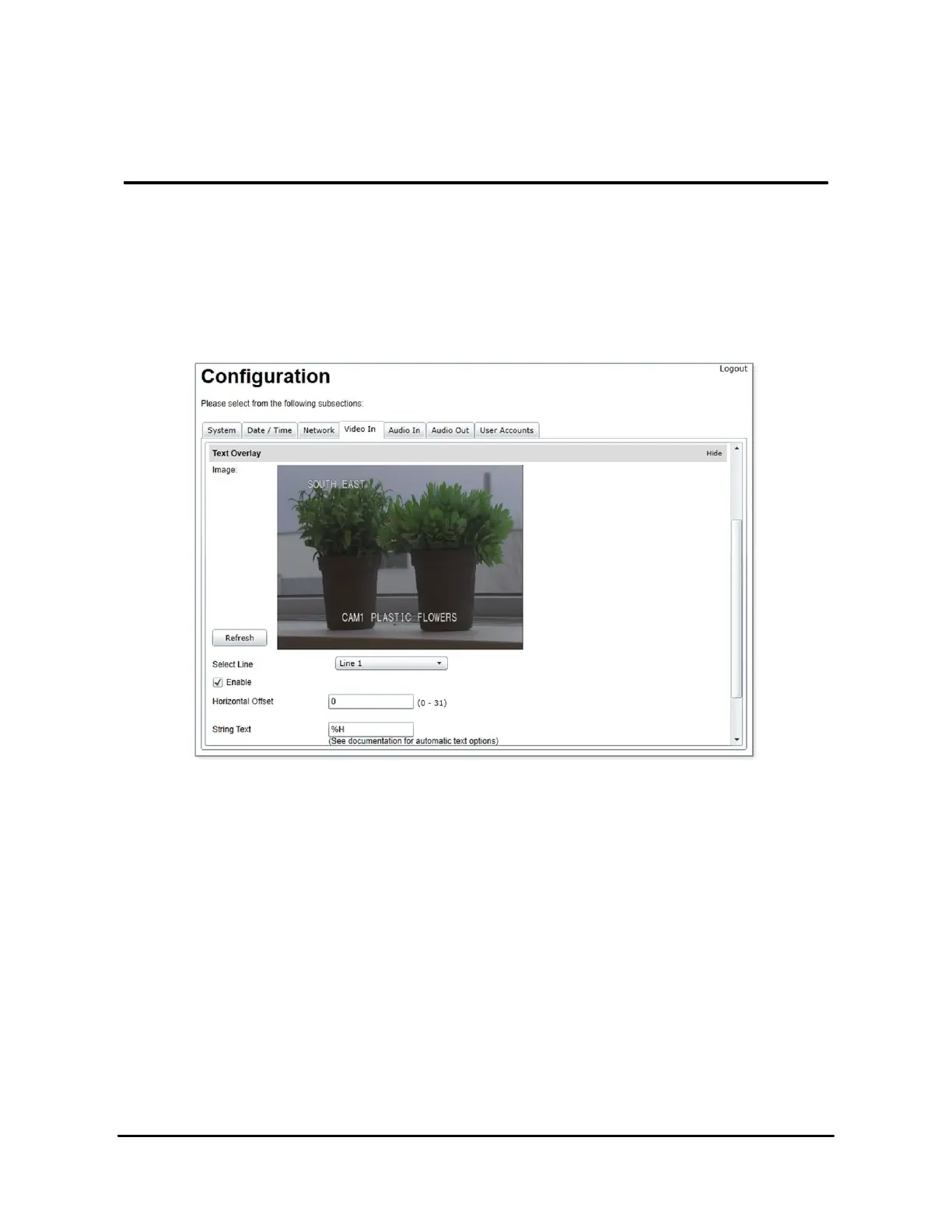
It is possible to display useful information in text form over the video from an IONODES device.
This text overlay can contain static information, like a user-friendly name for the camera, or more
dynamic information like the direction camera is pointing at. The text overlay can be configured
in the Text Overlay section of the video input configuration.
The text overlay contains 11 lines and 32 columns. Each line can display of up to 20 characters
or text. To display some text over the video:
•
Select the line on which the text is to appear and click on Enable.
•
Select the horizontal offset. The text on this line will be displayed starting at the column
corresponding to the value selected.
•
Type in the text to be displayed. Note that if the text is too long, it will be truncated in the
text overlay.
•
Click on Save to apply the changes.
•
To view the new text overlay on the preview image, click on the Refresh button beside
the image.



 To Next Page