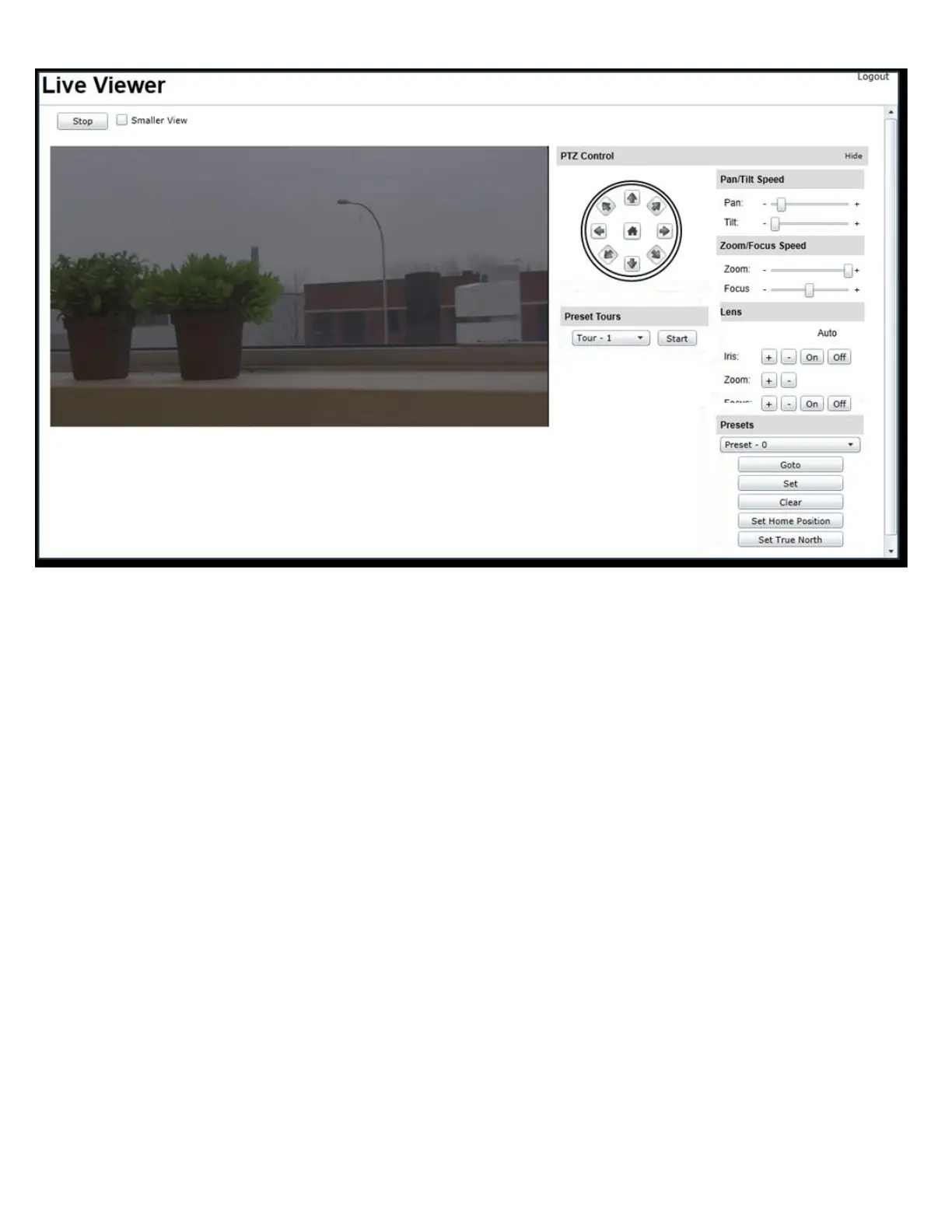
The PTZ unit can be controlled through the Live Viewer GUI page.
The Pan and Tilt control arrows allow for the directional control of the camera head.
Zoom and Focus controls allow for the adjustment of the optical view.
All these motions can have their operating rate set by the associated speed control sliders.
Preset positions can be both set and recalled.
Preset Positions List – Note on Numbering.
Please note that the Web GUI applies an offset of one digit to Preset Position identity number.
The first position being shown as numbered 0, the second as numbered 1.
This will offset from the normal numbering of Preset positions.
e.g. The position shown as Preset – 3 will both store and recall Preset-4 of the PTZ unit.
Within the OSD Menu, from conventional CCTV PTZ controllers and the secondary encoder (if fitted) this will be shown
as Preset-4.
This is an anomaly of the Web GUI list structure and does not affect other operation.
4.2.2 Live Viewer - PTZ Operation



 To Next Page