66
SD-300/SD-320AN User's Manual
4.
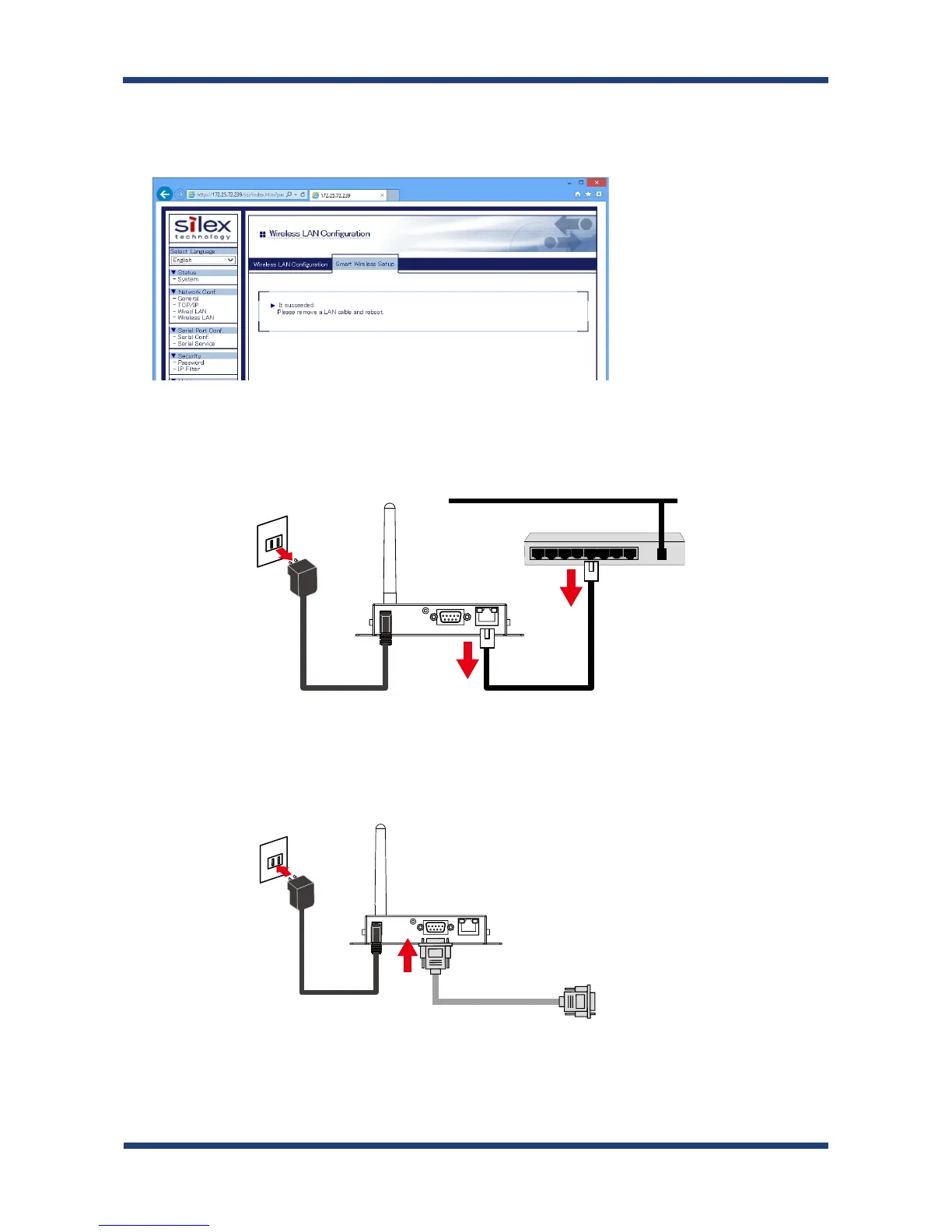
When the configuration is completed, SD-320AN will be configured with the same
setting as the wireless router.
Remove the power plug from the outlet and the network cable from SD-320AN.
5.
Connect the serial device that you wish to share over the network to SD-320AN using a
serial cable and insert the power plug of SD-320AN into the outlet.
6.
Network
EthernetHub
NetworkCableACadaptor
SD-320AN
(3)
(2)
(1)
ACadaptor
SD-320AN
(2)
(1)
SerialCable
TOSerialCable
(3)



 To Next Page