15
D10
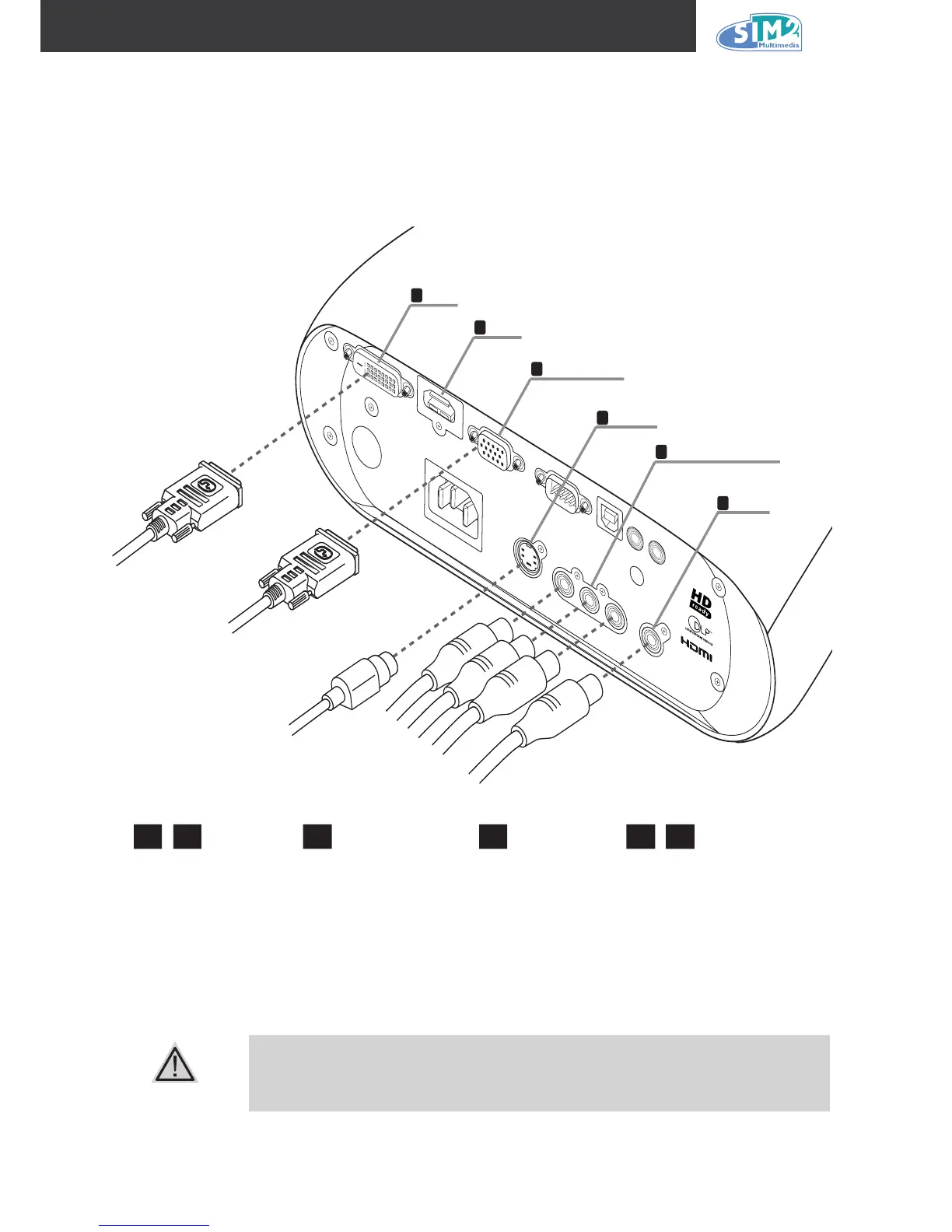
Connecting Input Devices
A PC or notebook computer as well as video devices can be connected to the projector at the
same time. Video devices include DVD, VCD, and VHS players, as well as movie camcorders ,
digital still cameras and high denition sources. Check the user manual of the connecting device
to conrm it has the appropriate output connector.
As a safety precaution, disconnect all power to the projector and connecting
devices before making connections.
1 2 3
Television receiver
DVD player
VCR
Video camera
Video game console
Television receiver
HDTV receiver
DVD player
VCR
Video game console
4 5 6
Computer
DVD player
DVD player
HDTV receiver



 To Next Page