25
D10
Options
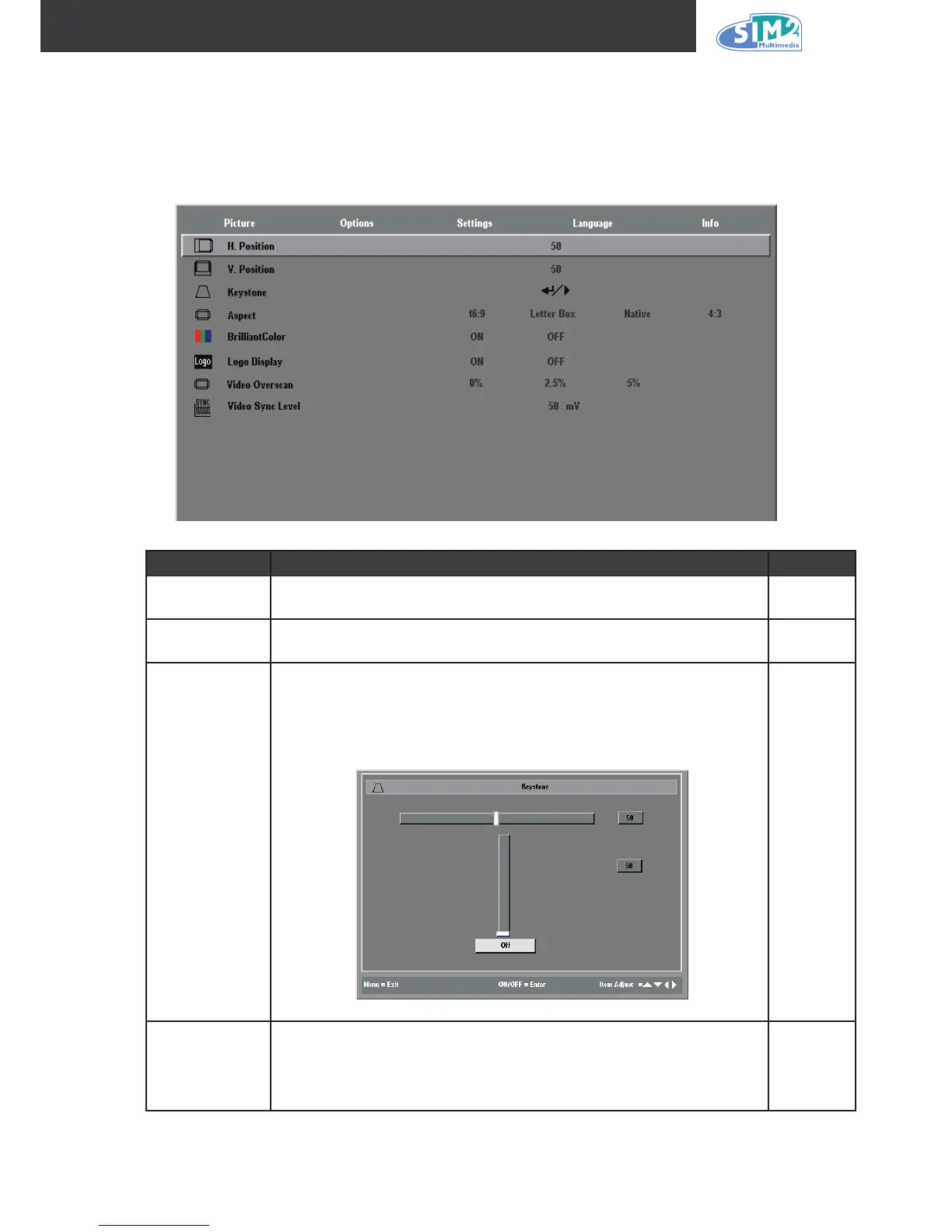
Press the Menu button to open the OSD menu. Press the cursor ◄ ► button to move to the
Options menu. Press the cursor ▲▼ button to move up and down in the Options menu. Press
◄ ► to change values for settings, and then press Enter to conrm the new setting.
iteM deScriptiOn default
Horizontal
position
Press the cursor ◄ ► button to move the image left or right.
(Range: 0 – 100)
50
Vertical
position
Press the cursor ◄ ► button to move the image up or down.
(Range: 0 – 100)
50
Keystone
Press the cursor ◄ ► button to enter the Keystone screen. Press
cursor ◄ ► button to correct the left and right distortion of the pro-
jected image. Press cursor ▲▼ button to up and down distortion
of the image. Press the Enter button to enable and disable Key-
stone correction. (Range: -50 – +50)
0
Aspect
Press the cursor ◄ ► button to toggle between the 4:3 standard
format, Letter Box, Native, and the 16:9 High Denition TV (HDTV)
format..
16:9



 To Next Page