29
D10
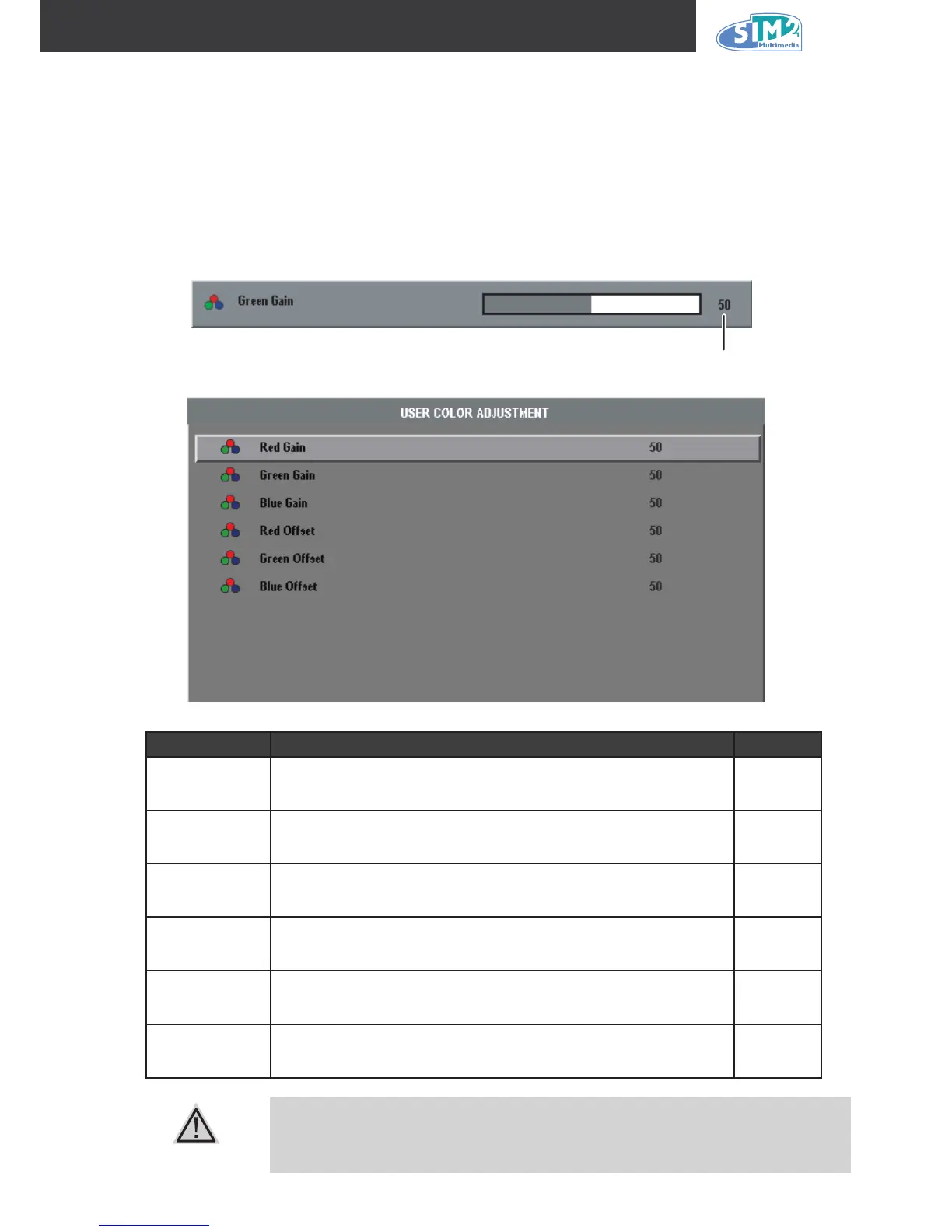
User Color Menu
Press the Menu button to open the OSD menu. Press the cursor ◄ ► button to move to the
Picture menu. Press the cursor ▲▼ button to move up and down to Color Temperature menu.
Press the cursor ▲▼ button to move up and down to User Color menu. Press the cursor ▲▼
button to make the selection and press the cursor ◄ ► button to adjust the setting. Press Enter to
conrm. See the example below:
iteM deScriptiOn default
Red gain
Press the cursor ◄ ► button to adjust the red color level.
(Range: 0 - 100)
50
Green gain
Press the cursor ◄ ► button to adjust the green color level.
(Range: 0 - 100)
50
Blue gain
Press the cursor ◄ ► button to adjust the blue color level.
(Range: 0 - 100)
50
Red offset
Press the cursor ◄ ► button to adjust the red offset level.
(Range: 0 - 100)
50
Green offset
Press the cursor ◄ ► button to adjust the green offset level.
(Range: 0 - 100)
50
Blue offset
Press the cursor ◄ ► button to adjust the blue offset level.
(Range: 0 - 100)
50
The color temperature can be changed by modifying the red, blue, green, red
offset, blue offset, and green offset gains.



 To Next Page