33
D10
Resetting the Lamp
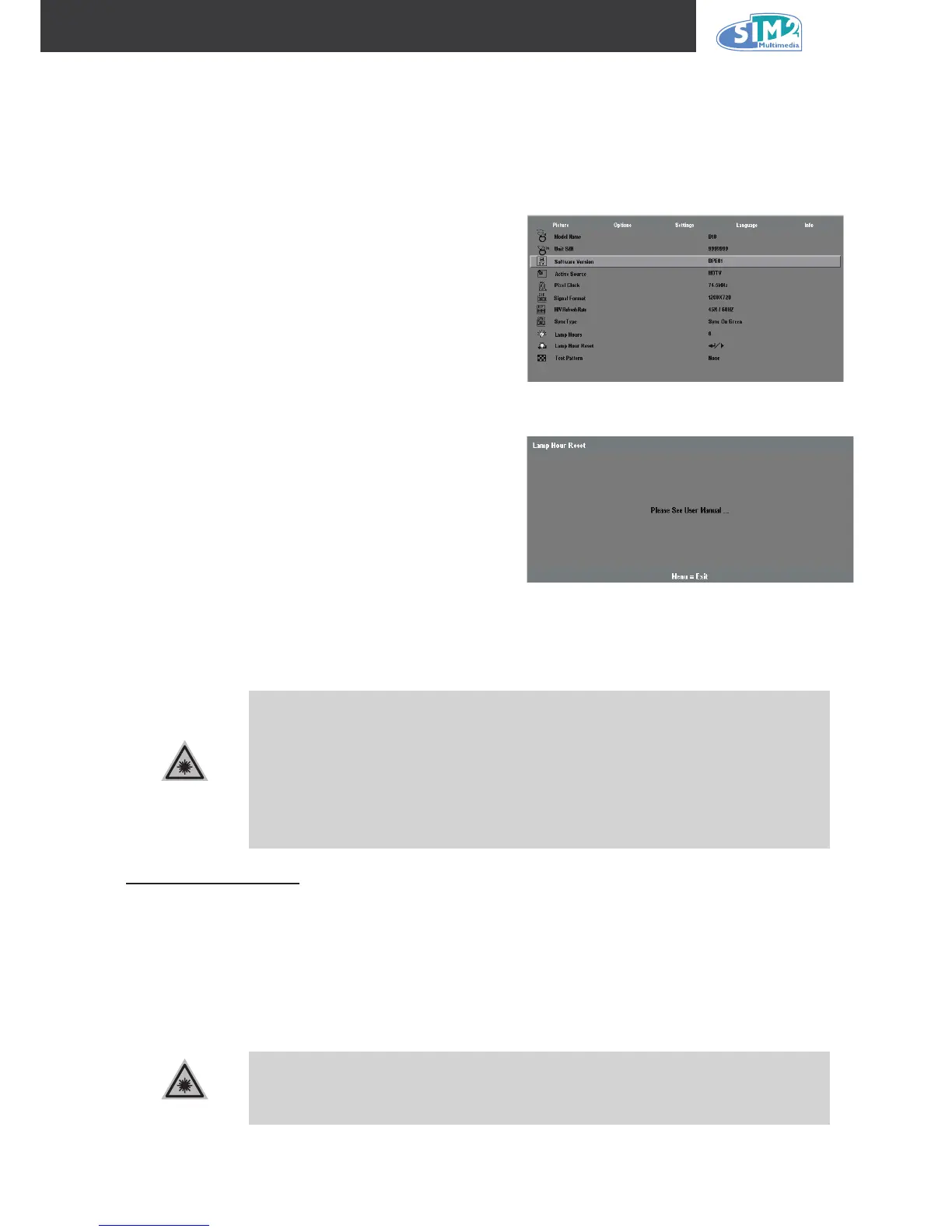
After replacing the lamp, you should reset the lamp hour counter to zero. Refer to the following:
1.
Press the Menu button to open the OSD
menu.
2.
Press the cursor ◄ ► button to move to
the Info menu.
3.
Press the cursor ▲▼ button to move
down to Lamp Hour Reset.
4.
Press the cursor ◄ ► or Enter button.
A message screen appears.
5.
Press the cursor buttons in this order:
▼ ▲ ◄ ►.
The Status menu appears again showing
the Lamp Hours reset to zero.
Cleaning the Projector
Cleaning the projector to remove dust and grime will help ensure trouble-free operation.
Be sure to turn off and unplug the projector at least an hour before clean-
ing. Failure to do so could result in a severe burn.
Use only a dampened cloth when cleaning. Do not allow water to enter the
ventilation openings on the projector.
If a little water gets into the projector interior while cleaning, leave un-
plugged in a well-ventilated room for several hours before using.
If a lot of water gets into the projector interior when cleaning, have the pro-
jector serviced.
1.
2.
3.
4.
Cleaning the Lens
You can purchase optic lens cleaner from most camera stores. Refer to the following to clean the
projector lens.
Apply a little optic lens cleaner to a clean soft cloth.
(Do not apply the cleaner directly to the lens.)
Lightly wipe the lens in a circular motion.
Do not use abrasive cleaners or solvents.
To prevent discoloration or fading, avoid getting cleaner on the projector
case.
1.
2.
1.
2.



 To Next Page