17
D10
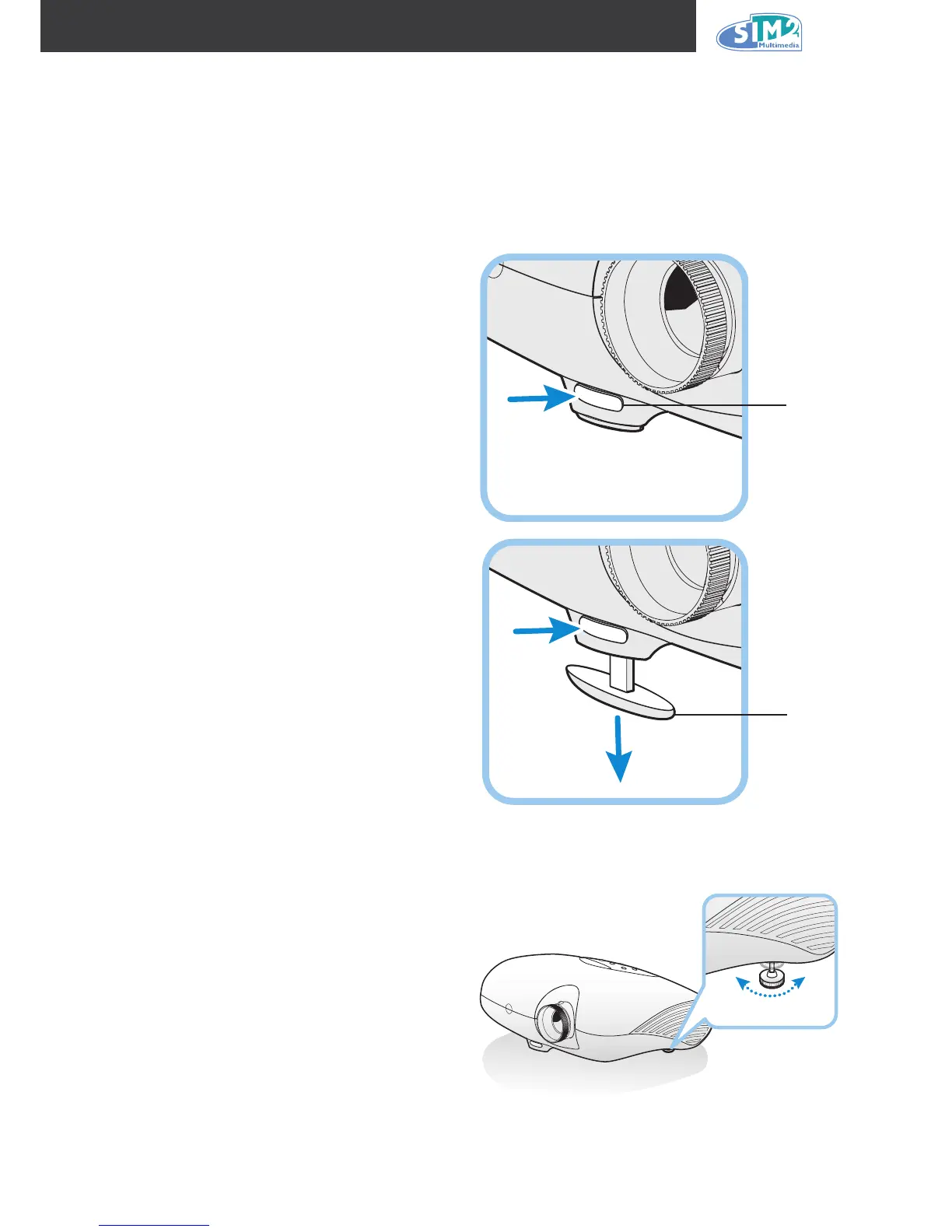
Adjusting the Projector Level
Take note of the following when setting up the projector:
• The projector table or stand should be level and sturdy.
• Position the projector so that it is perpendicular to the screen.
• Be sure cables are not in the way or can cause the projector to be knocked over.
1.
To raise the level of the projector, lift the
projector and press the height-adjuster
button [A].
The height adjuster drops down [B].
2.
To lower the level of the projector, press
the height-adjuster button and push
down on the top of the projector.
3.
To adjust the angle of the picture, turn
the tilt adjuster right or left until the de-
sired angle has been achieved.
A
B



 To Next Page