D10
16
Starting and Shutting down the Projector
1.
Remove the lens cover.
2.
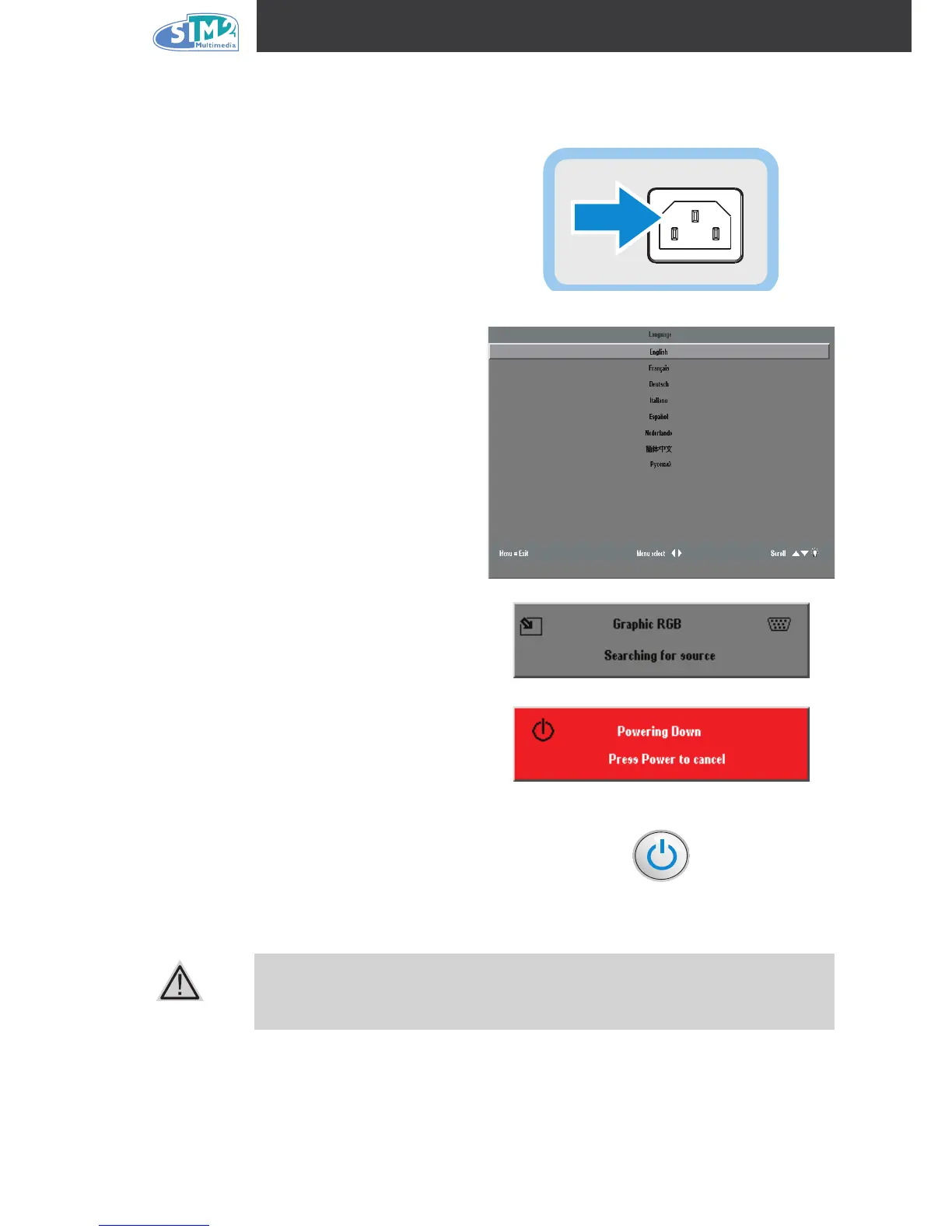
Connect the power cord to the projector.
Connect the other end to a wall outlet.
3.
Press the Power button. The Power LED
on the projector turns on. Turn on the con-
nected devices.
4.
The language selection screen appears
(Initial setup only). Select the desired lan-
guage.
1. Press the cursor ▲▼ button until
Language is highlighted.
2. Press the cursor ◄ ► or
Menu button
to conrm the language, and close the
OSD.
5.
If more than one input device is connected,
press the source button to search.
6.
Press the Power button to turn off the pro-
jector. The Powering Down screen appears.
Note: Pressing the Power button again
within ve (5) seconds cancels powering
down the projector.
7.
When the Power LED stops ashing, the
projector goes on standby mode.
Do not unplug the power cord until the Power LED stops ashing, indicating
the projector has cooled down.



 To Next Page