ü In the Wavenet radio network, at least two different RingCast-capable
RouterNodes are configured and "online" (see
Firmware information
[}39]
).
ü At least one locking device is assigned to each RouterNode of the
planned RingCast. Both locking devices are "online".
1. Open the WaveNet Manager.
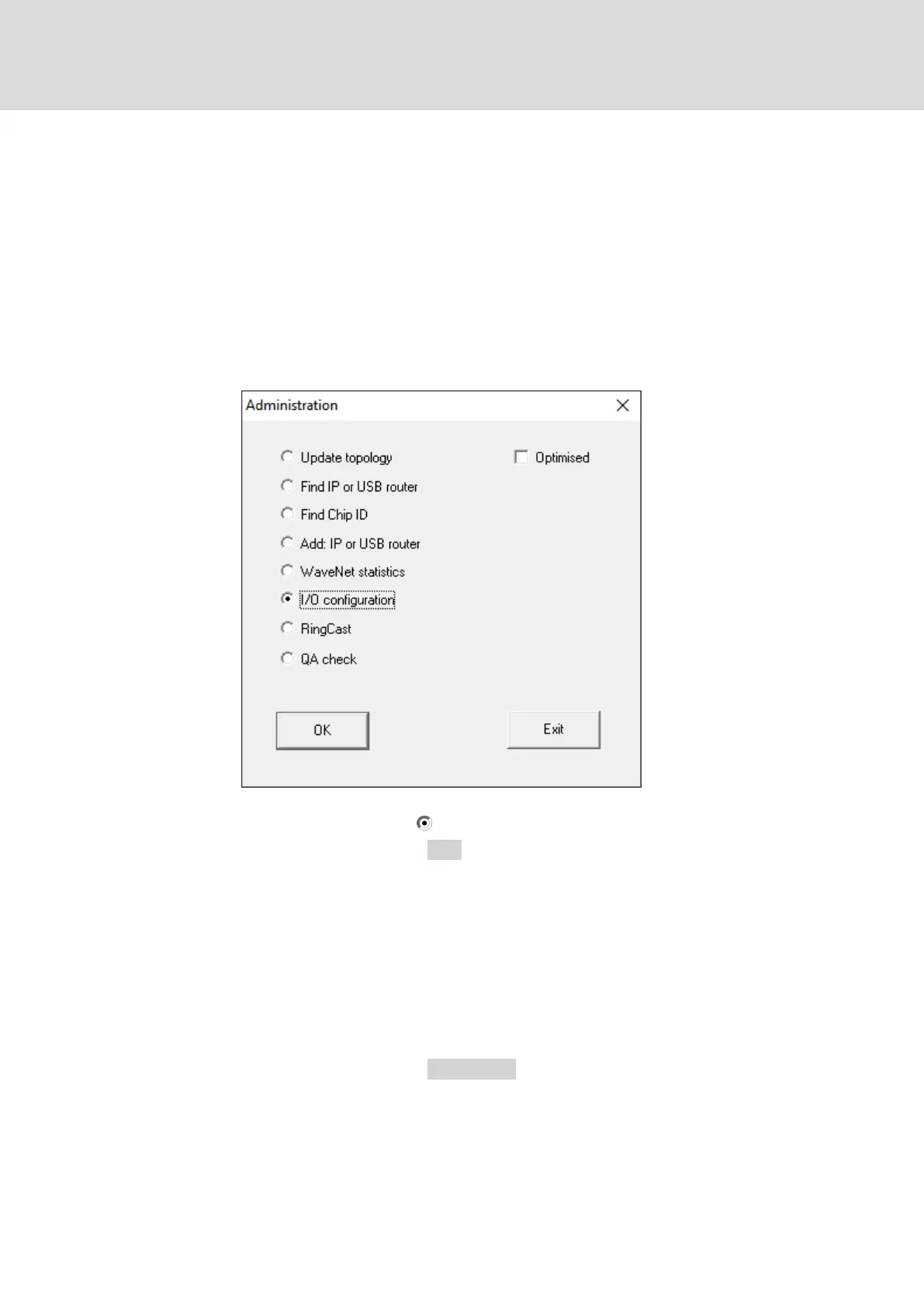
2. Right-click on the first RouterNode 2.
9 Window "Administration" opens.
3. Select the option I/O configuration.
4. Click on the button OK .
9 Window "Administration" closes.
9 Window "I/O configuration" opens.
5. Optional: For example, for ▼ Output 1 "Input receipt static", to be able to
control a signal device during deactivation.
6. In the drop-down menu ▼ Input select the desired entry of the corres-
ponding response (see
RouterNode: Digital input [}77]
).
7. In the drop-down menu ▼ Delay [s] select the entry "RingCast".
8. Click on the button Select LN .
9. Check whether all required LockNodes are selected.
(When the I/O con-
figuration of the router is set up for the first time, all LockNodes are in-
cluded.)
10. Select your protocol generation from the drop-down menu ▼ Protocol
generation
WaveNet (Manual)
5. WaveNet Manager
130 / 210



 To Next Page