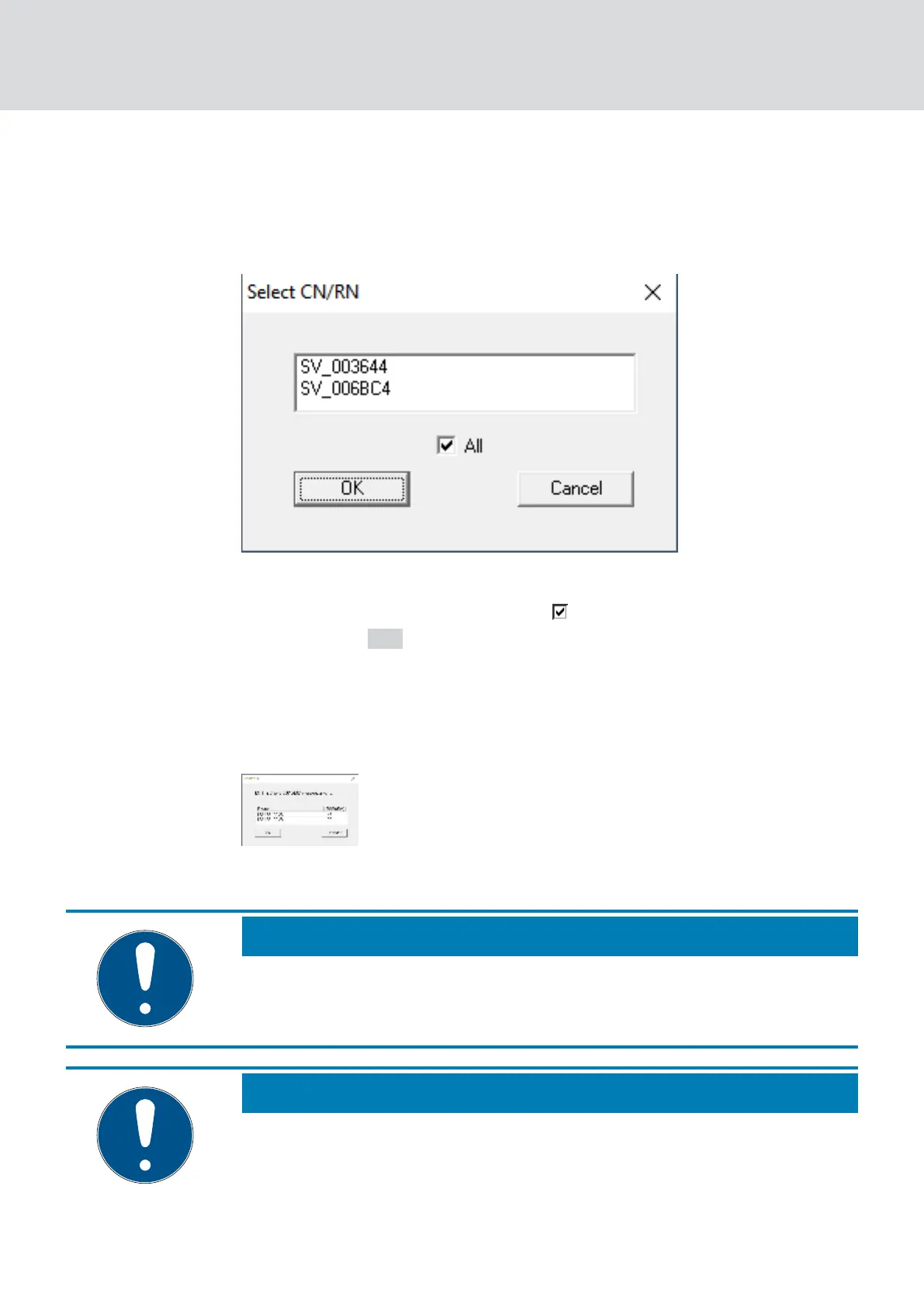
9 Window "Select CN/RN" router opens (If the results window opens
directly, then there are no other Router/CentralNodes in the
segment. You must reset the LockNode and add it to another
RouterNode).
4. Select the router/central nodes that are eligible to move the LockNode.
(If necessary, select the checkbox
all.)
5. Click on the OK button.
9 Signal quality between LockNode and selected RouterNodes is
measured.
9 The window "Result" opens. You will see the list of previously
selected RouterNodes with measured values.
6. Select the RouterNode to which you want to assign your LockNode.
NOTE
Best signal quality
From the possible RouterNodes, select the RouterNode whose RSSI value
is closest to 0 (0 = theoretical best value).
NOTE
Exclamation mark before RouterNodes in the list
For certain network structures, you can only assign the selected LockNode
to certain RouterNodes. RouterNodes to which you cannot assign the se-
lected LockNode are marked with an exclamation mark in front of the entry
WaveNet (Manual)
5. WaveNet Manager
146 / 210



 To Next Page