Editing communication nodes
Proceed in the same way for local connections (if you are not using a
CommNode server).
ü RouterNodes and LockNodes are reset in the WaveNet Manager (see
Best Practice: Reset with the WaveNet Manager [}159]
and
Best
Practice: Resetting RouterNodes in the WaveNet Manager [}162]
).
ü WaveNet topology imported.
ü LSM open.
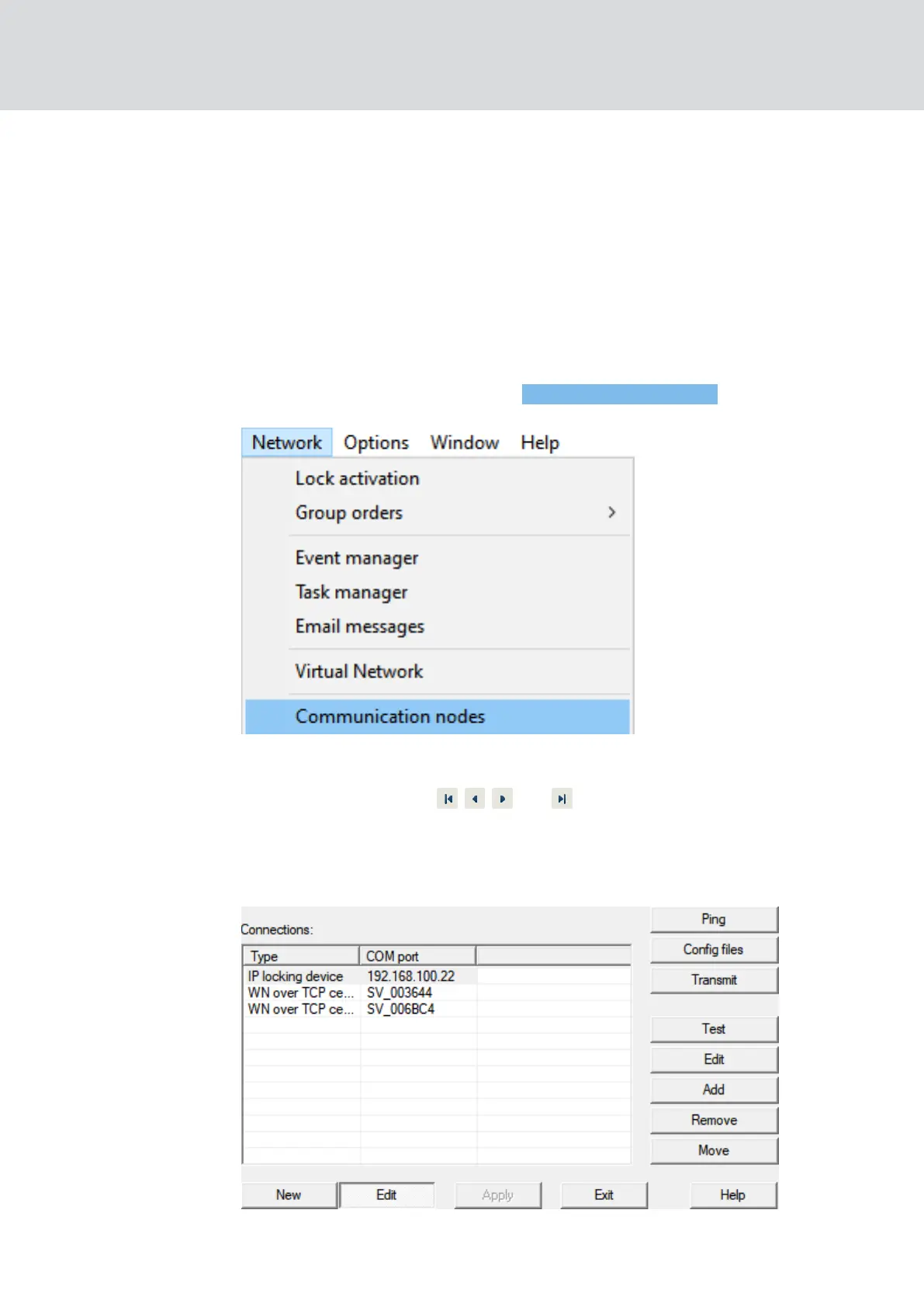
1. Via |Network| select the entry Communication nodes .
9 Communication node overview opens.
2. If necessary, use the , , and buttons to select the communica-
tion node used for WaveNet.
9 The overview shows the entries of your RouterNodes that have not
been deleted.
3. Select your RouterNodes.
WaveNet (Manual)
5. WaveNet Manager
165 / 210



 To Next Page