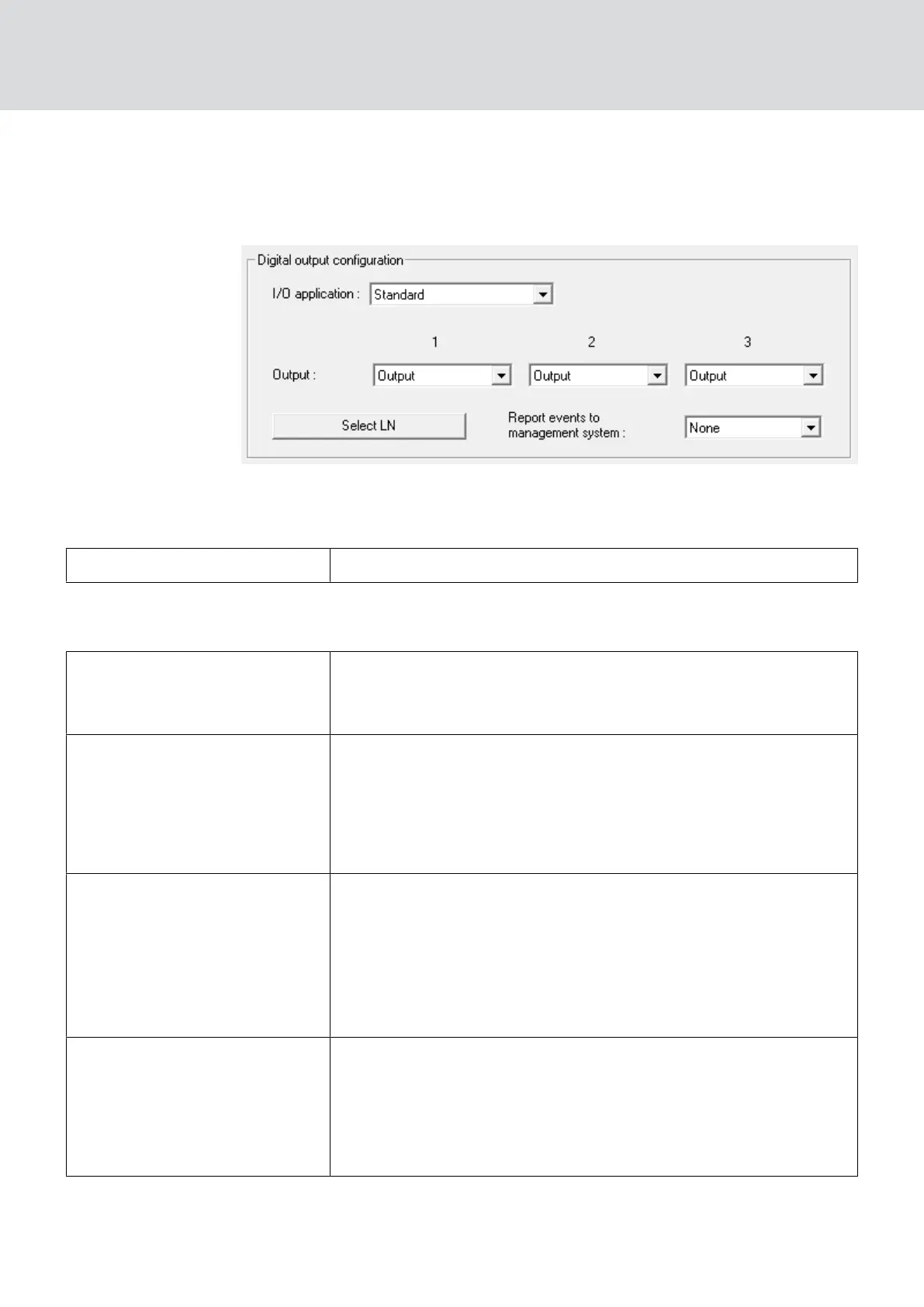
5.4.4.1 Description of the options
RouterNode: Digital output
You can select the following entries from the dropdown list ▼ I/O
application:
"Standard" Standard entry:
In the dropdown list ▼ Output, you can set when the output in the
RouterNode triggers:
"Output"
Standard entry: The RouterNode does not switch the output.
You can switch the output manually (see
IO Status and Lock-
Node responsiveness [}179]
).
"Authorised"
The output switches at one or more freely selectable locking
devices with a LockNode assigned to the RouterNode for about
one second in case of an authorised identification medium.
The identification medium must be present in the locking sys-
tem.
"Unauthorised attempt"
If an unauthorised identification medium is present on one or
more freely selectable locking devices with a LockNode as-
signed to the RouterNode, the output switches for about one
second.
The identification medium must be present in the locking sys-
tem.
"All LN events"
The output switches at any identification medium at one or
more freely selectable locks with a LockNode assigned to the
RouterNode for about one second.
The identification medium must be present in the locking sys-
tem.
WaveNet (Manual)
5. WaveNet Manager
74 / 210



 To Next Page