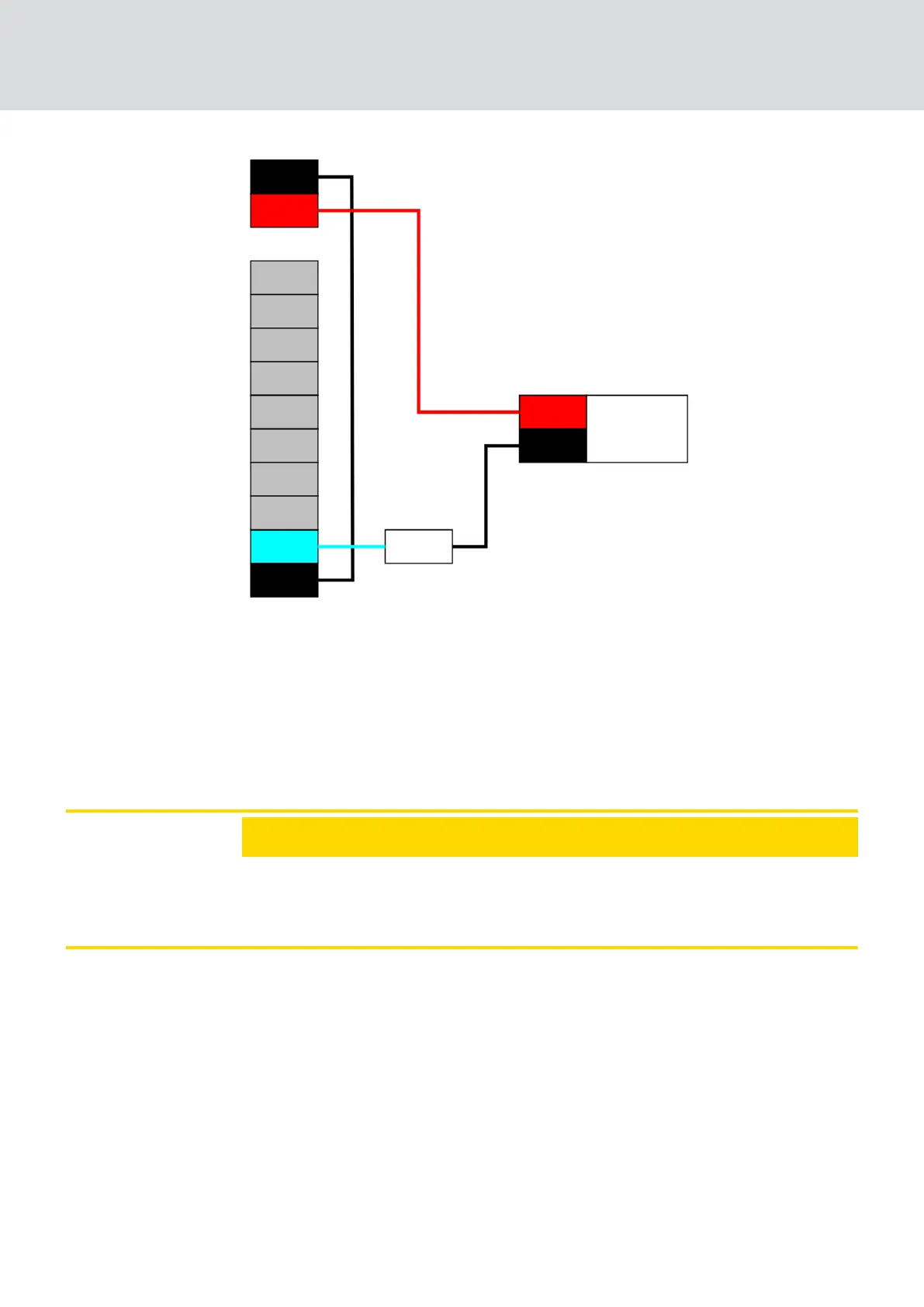
1. Connect NO to the ground of the router node.
2. Then connect the cathode of the LED (-) via the series resistor X to
COM.
3. Connect the anode (+) to the positive pole of the power connector next
to the IO connector.
The value of the resistor X depends on the LED used.
IMPORTANT
Current carrying capacity
The power connection next to the IO connector supplies between 3.0 V
DC
and 3.3 V
DC
and may be loaded with a maximum of 200 mA.
Output (light with increased current requirement)
In this context, lights with increased power requirements are light sources
which are operated with more than 3.3 V
DC
and/or 200 mA. Do not connect
these lamps to the power connection next to the IO connector, but use a
suitable power supply unit.
WaveNet (Manual)
5. WaveNet Manager
91 / 210



 To Next Page