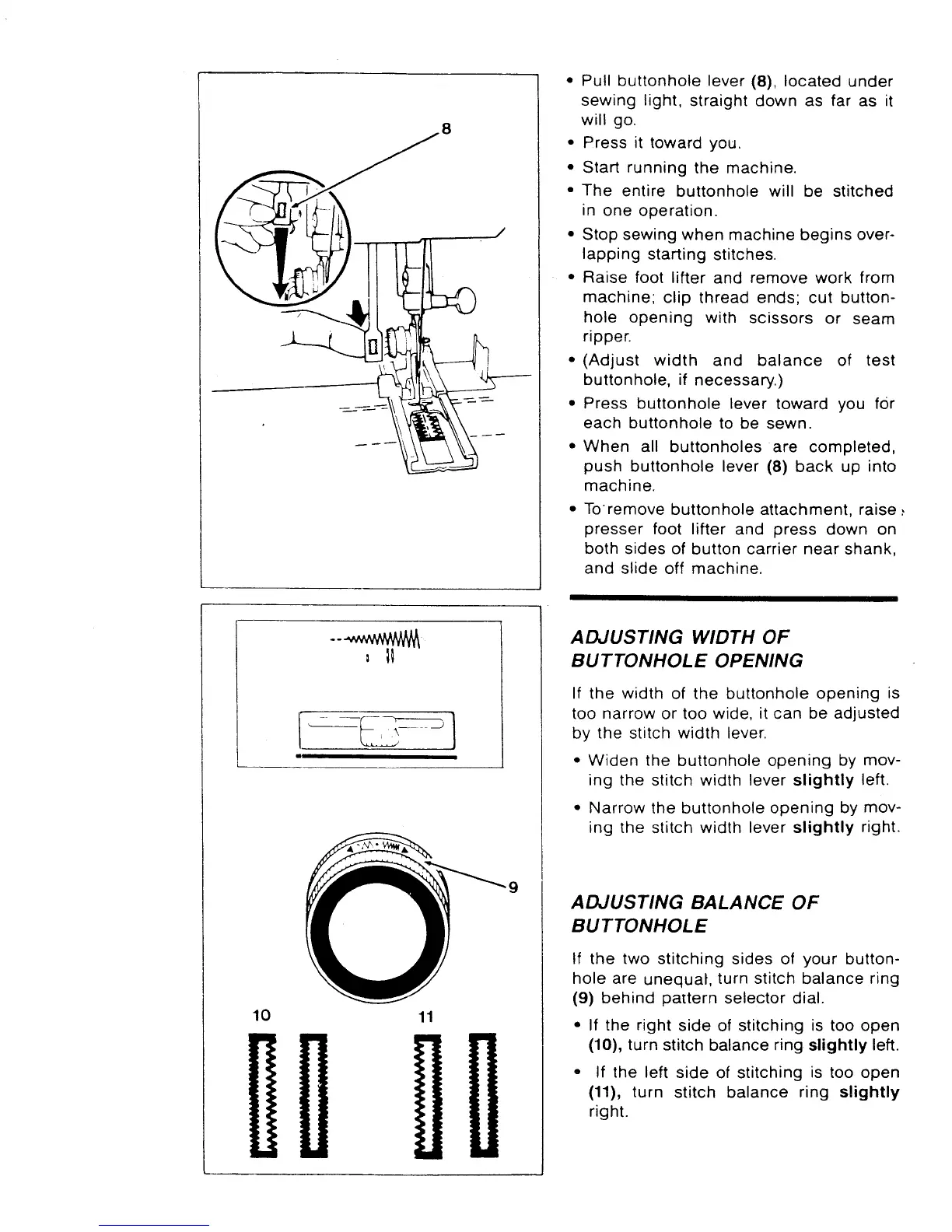
• Pull buttonholelever (8), located under
sewing light, straight down as far as it
will go.
• Press it toward you.
• Start running the machine.
• The entire buttonhole will be stitched
in one operation.
• Stopsewingwhenmachinebeginsover-
lapping starting stitches.
• Raise foot lifter and remove work from
machine; clip thread ends; cut button-
hole opening with scissors or seam
ripper.
• (Adjust width and balance of test
buttonhole,if necessary.)
• Press buttonhole lever toward you for
each buttonholeto be sewn.
• When all buttonholes are completed,
push buttonhole lever (8) back up into
machine.
• Toremovebuttonholeattachment,raise:
presser foot lifter and press down on
bothsides of button carrier near shank,
and slide off machine.
10
11
9
ADJUSTING WIDTH OF
BUTTONHOLE OPENING
If the width of the buttonhole opening is
too narrow or too wide, it can be adjusted
by the stitch width lever.
• Widen the buttonhole opening by mov-
ing the stitch width lever slightly left.
• Narrow the buttonhole opening by mov-
ing the stitch width lever slightly right.
ADJUSTING BALANCE OF
BUTTONHOLE
If the two stitching sides of your button-
hole are unequal, turn stitch balance ring
(9) behind pattern selector dial.
• If the right side of stitching is too open
(10), turn stitch balance ring slightly left.
• If the left side of stitching is too open
(11), turn stitch balance ring slightly
right.



 To Next Page