10
13
14
15
16
17
12
13
14
15
16
17
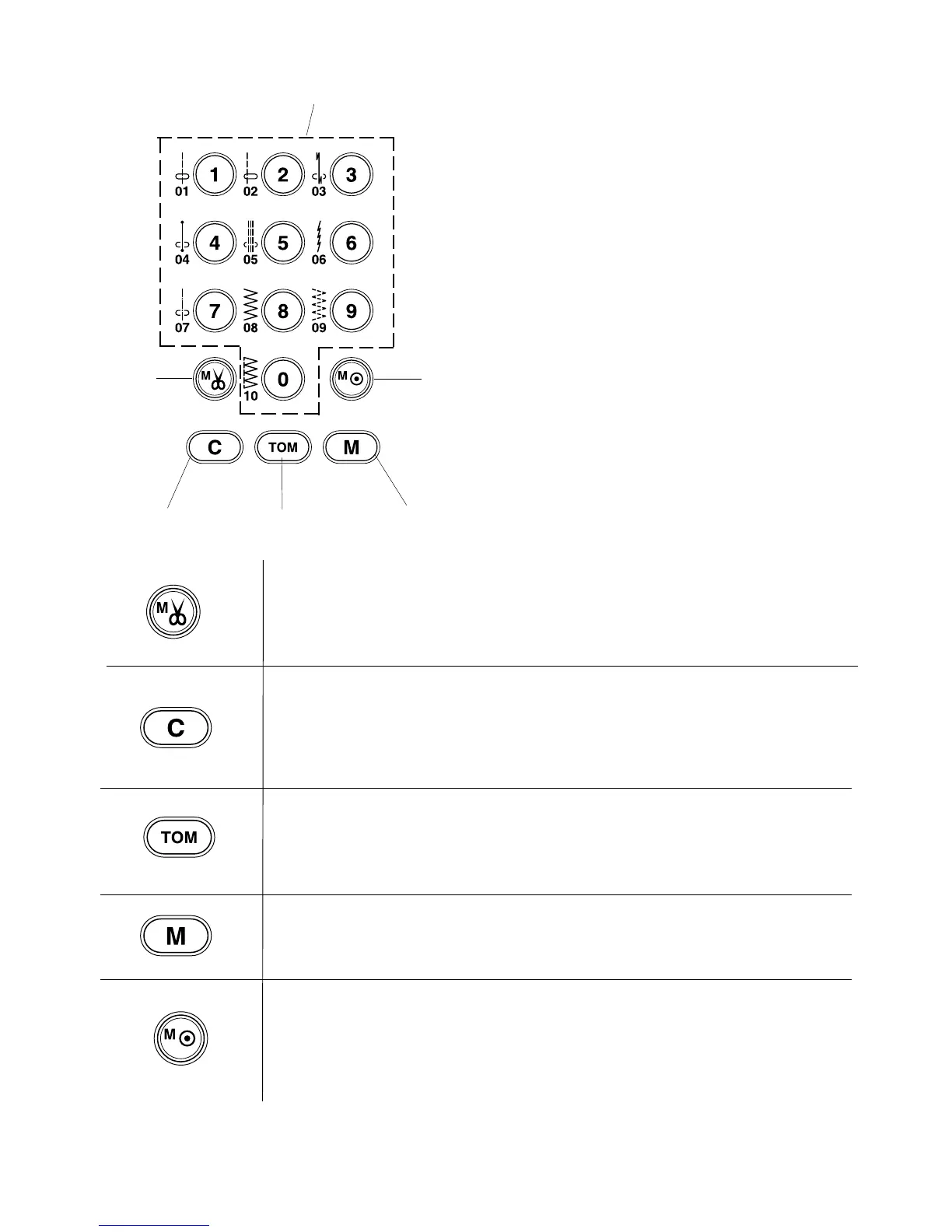
Pattern Selection Buttons
12 Pattern selection buttons
In Mode 1 (Direct Selection) you can press your
desired stitch pattern directly from the pattern selection
buttons. For example, selecting 08 will give you the
zigzag stitch.
When Mode 2 (Quilting), Mode 3 (Utility), and Mode 4
(Lettering) are selected the pattern selection buttons
are used to recall stitch patterns in those modes.
For example select Mode 3 and select 12, and you will
see the automatic buttonhole on the LCD screen.
Auto thread cutter button:
Press this button after the last memorized stitch pattern and the machine will
automatically trim the threads when sewing is finished.
Clear button:
When the clear button is pressed it will recall the stitch patterns that are programmed
in the MODE that is on screen. The clear button can also delete a sequence of stitch
patterns that have been programmed. Hold the clear button in for a few seconds and the
programmed stitch patterns will clear.
Turnover memory button:
The turnover memory button can be used in Mode 2 and Mode 3. Pressing the button
after selecting a stitch program will mirror image the stitch pattern. In Mode 4, pressing
this button will reduce the letters to 2/3 of their original size.
Memory button:
Press this button to memorize the desired stitch pattern on screen. Up to 50 stitch
patterns can be stored in each of these modes: Mode 2, Mode 3 and Mode 4.
Locking stitch button:
Press this button after programming the last stitch pattern. The machine will sew
the stitch pattern combination programmed and auto-lock the last stitch pattern. The
machine will then automatically stop at the end of the sequence.



 To Next Page