65
Editing Programmed Stitch Patterns
Uniform stitch adjustment (Modes 2 and 3 only)
The stitch width and stitch length of programmed stitch
patterns can be edited uniformly.
Step 1
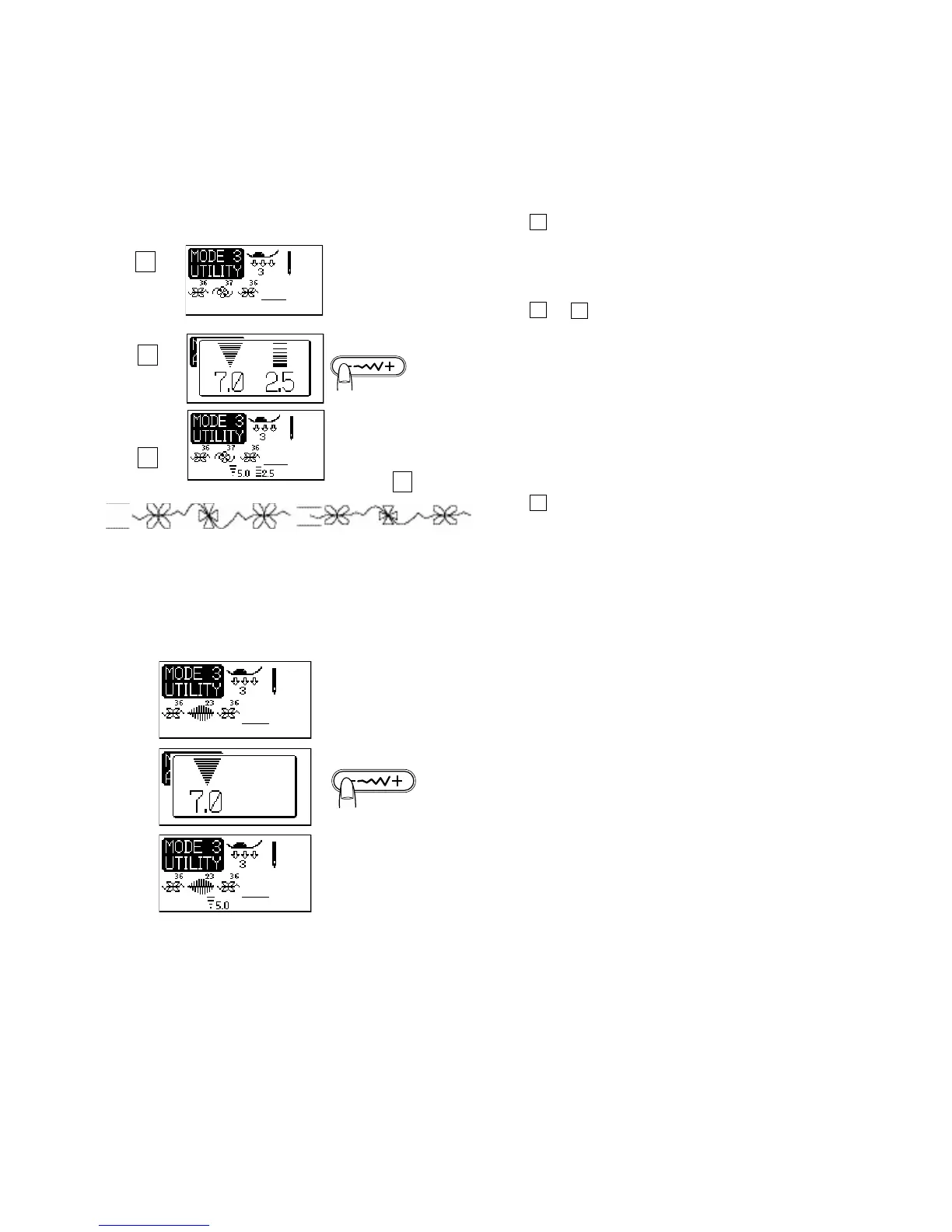
Program stitch patterns 36, 37 and 36 in Mode 3.
See page 62 for programming instructions.
Step 2 and 3
Press the stitch width adjusting button to edit the stitch
width. Select a width of 5.0. Stitch length could be
altered also.
Programing Tip:
You can change the width and length of most stitches,
however, the range of width and length settings for stitch
patterns is pre-set by the factory. Certain stitch patterns
can only be altered by width.
Step 4
Sew the programmed stitch patterns. The programmed
stitch patterns have sewn in a reduced unified width.
1 Default width
2 Uniformly altered width
Programming patterns that are limited to width only
Program pattern 36, 23 and 36.
Shift the cursor to the right of the last programmed pattern.
Press the stitch width adjusting button to alter the stitch
width. The LCD screen will show the stitch width only.
Start sewing. The programmed patterns will be sewn in the
uniform width.
1
2
1
2
3
4
Before After



 To Next Page