24
4
3
2
1
5
6
7
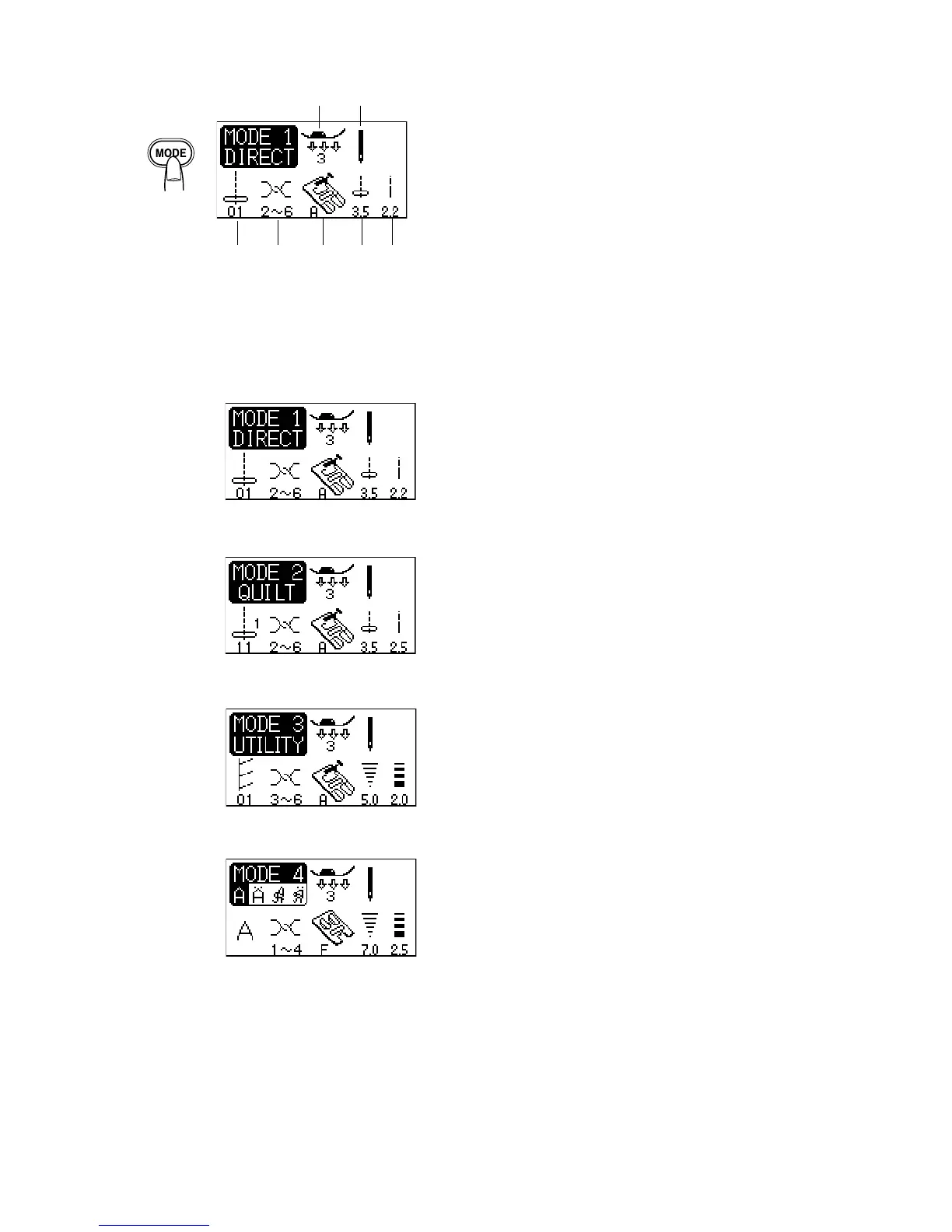
Mode 1
Selecting the Sewing Mode
On the LCD screen, the mode number and the following
information are displayed:
1 Stitch pattern
2 Recommended thread tension
3 Recommended foot
4 Stitch width
5 Stitch length
6 Recommended presser foot pressure
7 Single or twin needle setting
Mode 1 Direct:
Contains the 10 most commonly used utility stitches. They
can be selected directly from the stitch pattern selection
buttons.
Mode 2 Quilt:
Contains the stitch patterns for piecing, applique and much
more.
Mode 3 Utility:
Contains 7 buttonholes, more utility stitch patterns and
many decorative stitch pattens.
Mode 4 Monogram:
Lettering in Block and Script styles can be programmed
here.
Mode 2
Mode 4
Mode 3



 To Next Page