M300 Plus GNSS Receiver User Guide
11
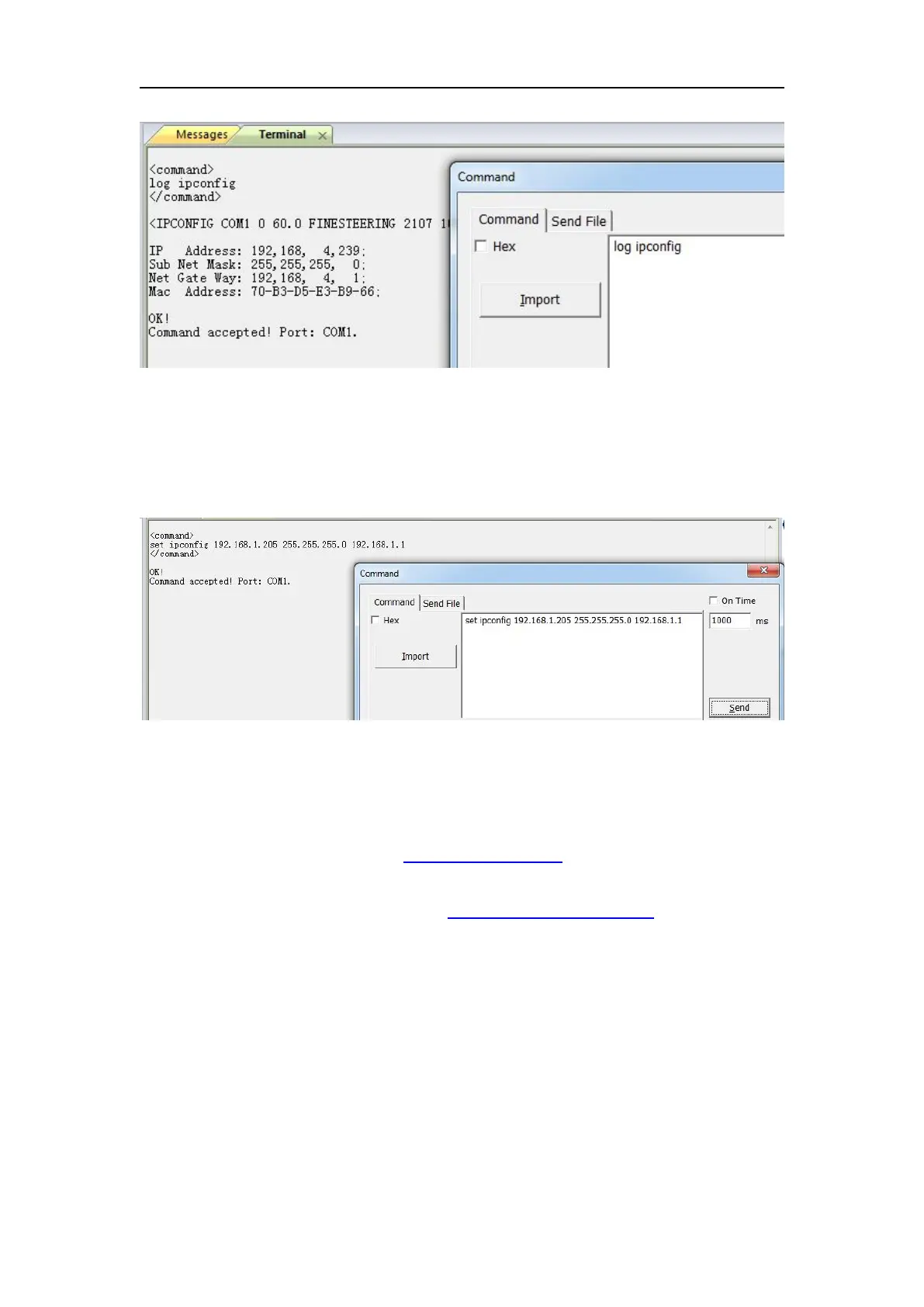
Set ipconfig XXX(IP) XXX(mask) XXX(gateway) # confige M300Plus IP
e.g. set ipconfig 192.168.1.205 255.255.255.0 192.168.1.1
2. Enter the IP address and HTTP port of the receiver into the address bar, you will
access the configuration page of M300Plus. The default setting for the HTTP port
is 80, which is the standard port for web servers. However, HTTP port needs to
be changed in some cases.
For example, using default port 80:http://192.168.1.205
If your receiver has a port other than 80, you must enter the IP address followed by
port number. As example showed above: http://192.168.1.205:8000


 To Next Page