M300 Plus GNSS Receiver User Guide
37
triggering). Timebias and timeguard are not available currently.
Example
markcontrol mark1 enable negative 0 0
After configuration, you can save and check settings via command saveconfig and
logsysconfig.
Output Messages
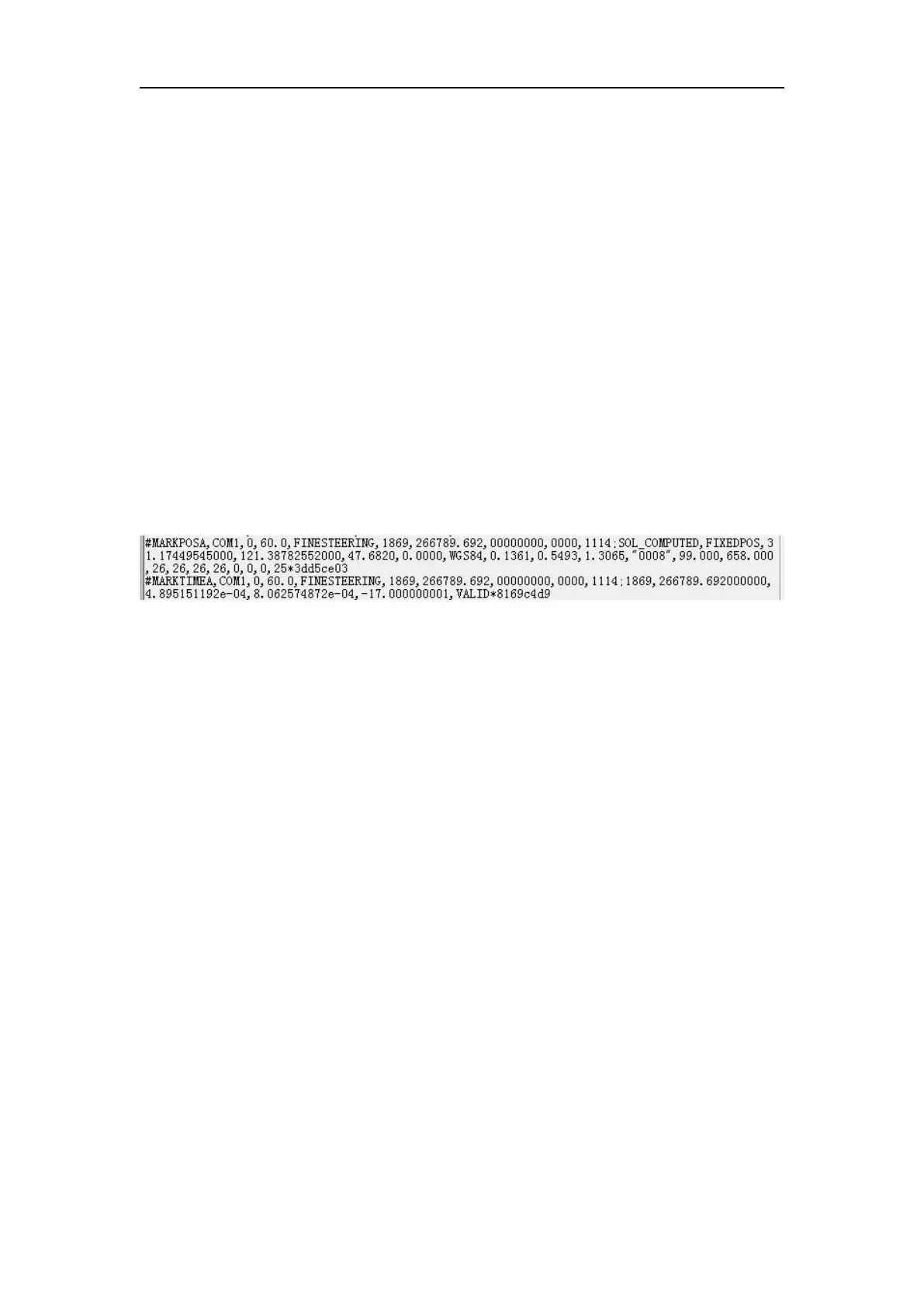
Markpos and marktime provide the position and accurate time of the event
moment.The two messages support binary and ASCII formats, so the messages
provide formats markposa, markposb, marktimea and marktimeb.
Examples
logcom1 markposa onnew
logcom1 marktimea onnew
Once you trigger the Event signal connector, it will output the event information from
the serial port(com1). The event information(marktime&markpos) will record the
raw data once it is triggered if you have enabled the event function.
5.2.2 PPS output
The M300Plus receiver supports the PPS output. Use the command PPSCONTROL to
configure the PPS output.
Format
PPSCONTROL <switch><polarity><period><pulse-width>
Description
This command can be used to set the polarity, period and pulse-width of PPS output.
Parameters
<switch>: switch ‘enable’ or ‘disable’, the switch should be set to ‘enable’, and
‘disable’ is not allowed.
<polarity>: Select ‘positive’ if with a high level pulse, and ‘negative’ mode if a low
level pulse.
<period>: fixed to 1 second
<pulse-width>: in microseconds, should be less than half of period.
Example
PPSCONTROL ENABLE POSITIVE 1 1000
5.2.3 10 MHz frequency input
This port is used for external clock input, and it can be an external atomic clock.
Command:


 To Next Page