M300 Plus GNSS Receiver User Guide
31
4.7.7 Routing Setting
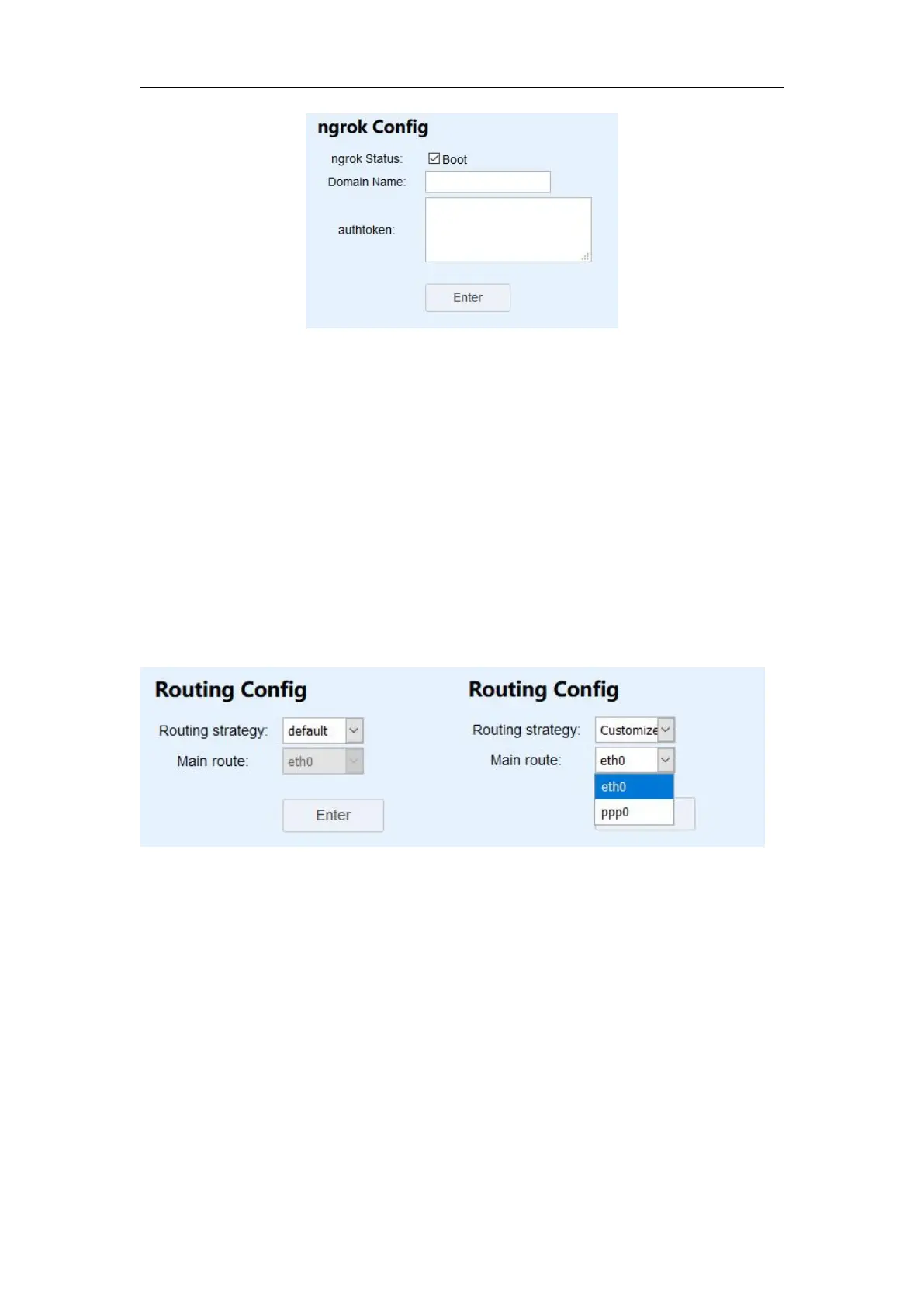
The routing setting provides a function to select the main network source. It is also
possible to switch the network source automatically. Currently only supports
switching from SIM card to network cable.
Routing strategy: M300plus supports default and customize.
Main route: eth0 means using the network cable first, ppp0 means using SIM
card first.(If you want to use SIM card, please set PPP dial first)
When routing strategy is default, main route defaults to the network cable and can’t
change. If you want to use SIM card first, you just need to set routing strategy as
customize and main route as ppp0.
4.7.8 Email Client
Before setting a Email Client, open your mail client SMTP authorization firstly, then
set SMTP Server, SMTP Port, Email Address and password. Enable Enter button to
save configuration.


 To Next Page