M300 Plus GNSS Receiver User Guide
27
4.7 Internet Service
4.7.1 Ethernet Config
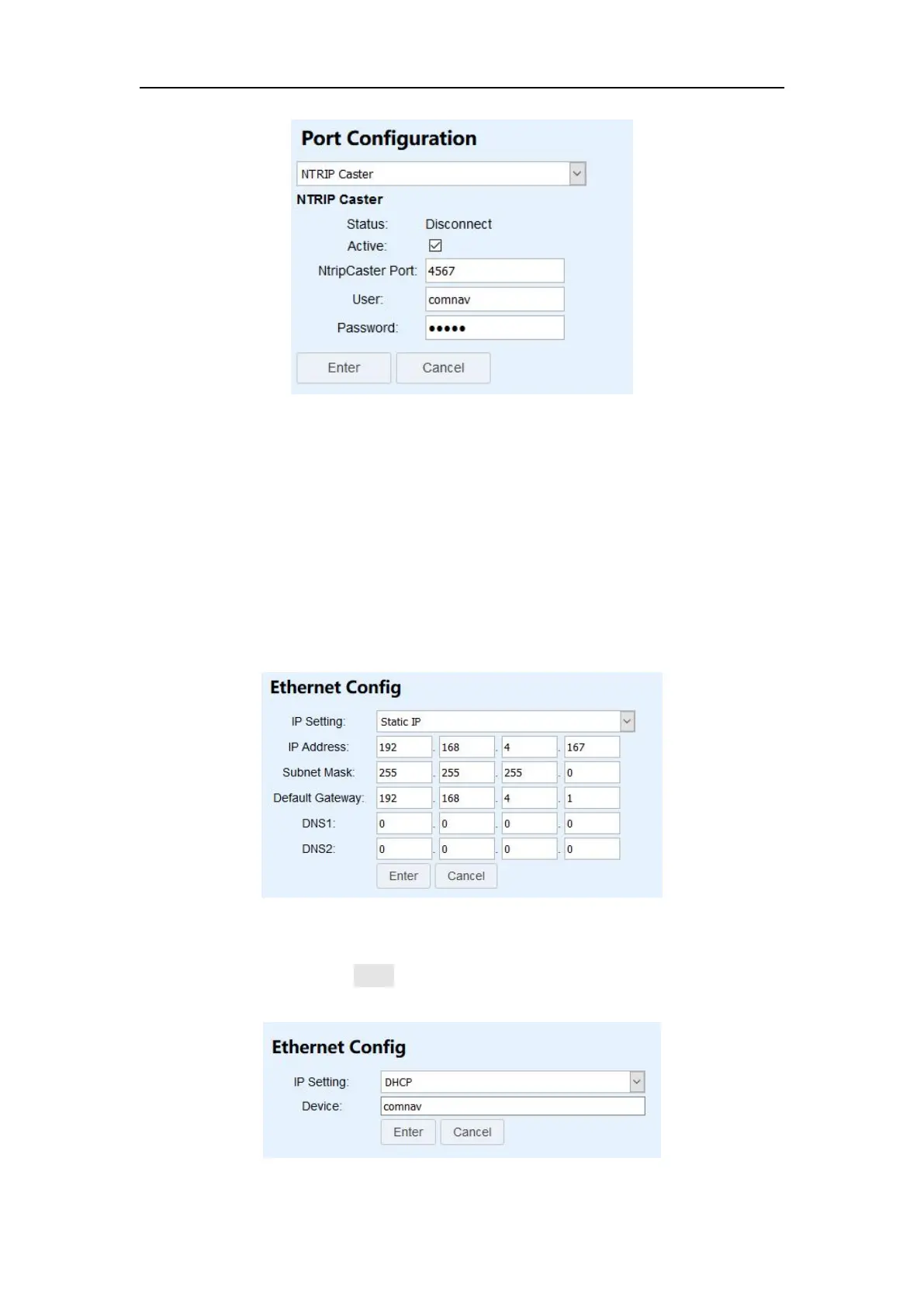
Use the Ethernet Config menu to set IP Setting, IP address, subnet mask, default
gateway and DNS. After changing those settings, you need to change your
computer’s IP address and relogin configuration webpage based on the new IP
address.
You can choose IP Setting as DHCP(Dynamic Host Configuration Protocol).And set a
device name. After pressing Enter button, M300plus will randomly generate a new
valid IP address.


 To Next Page