M300 Plus GNSS Receiver User Guide
19
exists in the first storage area.
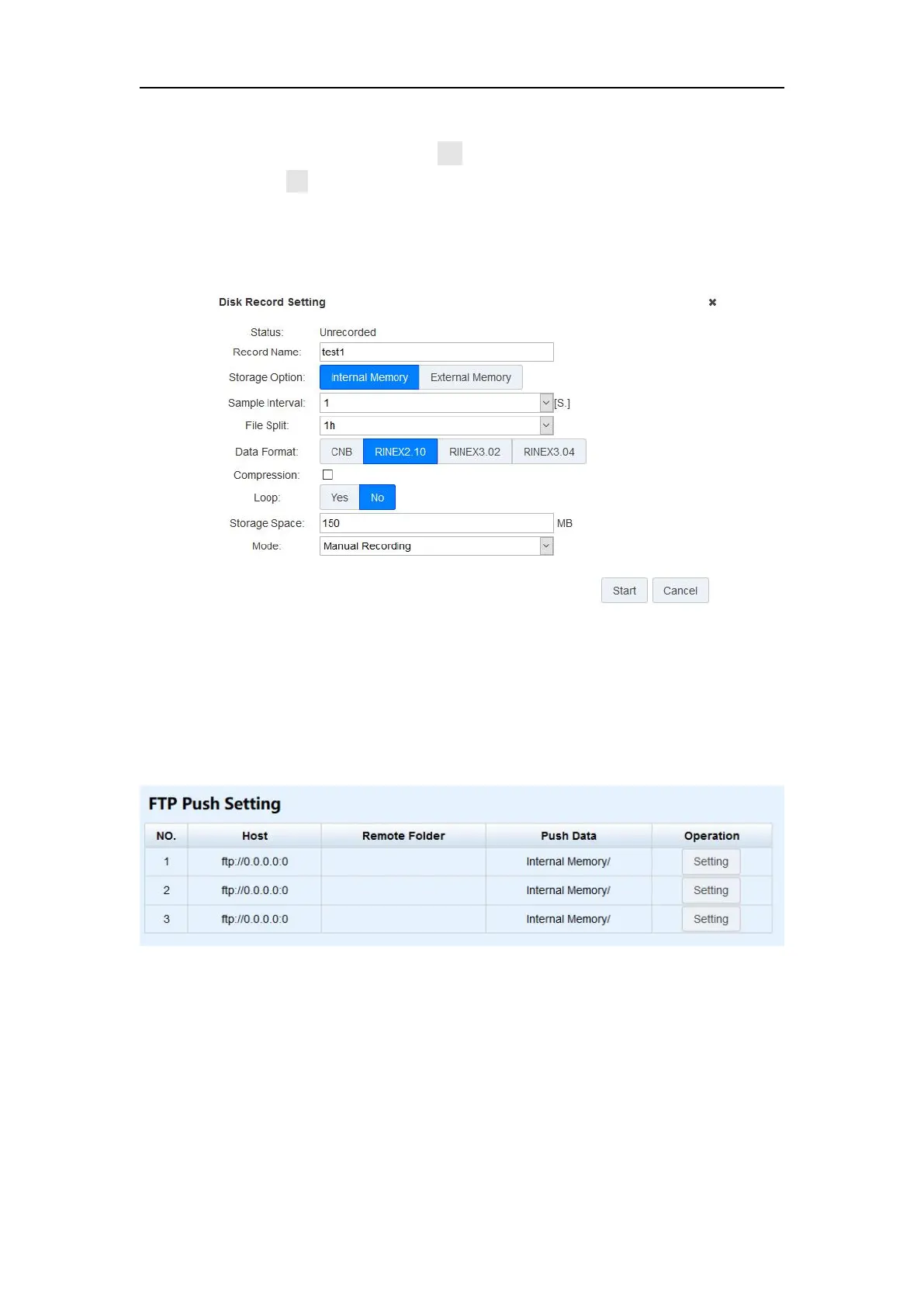
Loop: When storage is full, Yes means delete earliest data and store
continually, No means stop recording
Storage Space: Separate storage space in internal memory\external memory
Mode: Support manually and automatically recording mode.
4.5.2 FTP Push Setting
FTP push can send data to another FTP server through the FTP address. You can click
Setting button to configure the FTP push feature.
Setting options are showed below:
Use: Check USE checkbox to enable FTP push feature
Host: The FTP address and port of specified FTP server
Remote Folder: Create a new folder to save the transferred data
Data Source: Choose data in internal memory or external memory
Push Data: Choose the data you want to push
Username and Password: username and password of another FTP server


 To Next Page