M300 Plus GNSS Receiver User Guide
18
control.
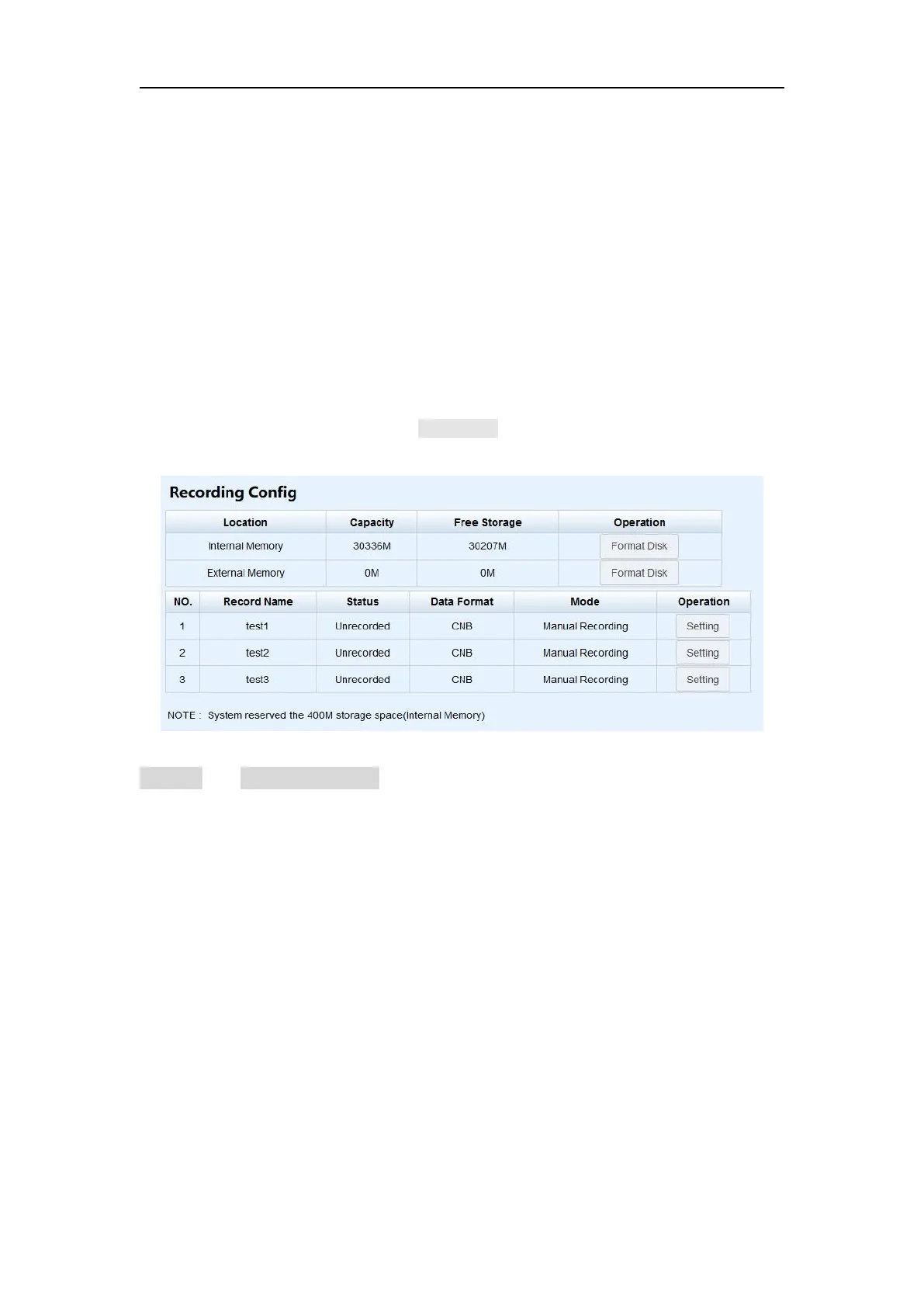
4.5.1 Recording Config
Information is showed below:
Internal Memory: 32 GB, 1 Hz sample frequency could be used for 8-month
record.
External Memory: If set as external memory without inserting a USB drive, it
will be prompted with a message that “Storage space is overrun. Please set
according to the notes”.
Show record name, status, data format, record mode and operation in table,
click Setting button to configure the data recording settings.
CAUTION - Please be careful to click the Format Disk button. It will empty all your data files in
M300Plus.
To configure the data recording settings, please make sure that recording mode is on
manual with unrecorded status.
Setting options are showed below:
Record Name: Support only number or letter
Storage Option: Choose storage location to internal memory or external
memory
Sample Interval: Choose sample frequency, support0.05\0.1\0.2\0.5\1\2\5
\15\30\60 S.
File Split: Choose file split, support every 15 minutes or 1\2\4\24 hours to
save a file. If you select 24 as file split, it will create two data files when it
occurs to 24 o'clock (UTC Time). One is from start time to 24 o’clock, another
is from 0 o’clock to end time.
Data Format: Support CNB\ Rinex2.10\Rinex3.02\ Rinex3.04.
Compression: Because RINEX data may be very large, when choosing to store
RINEX data, provide compression options. But the compression option only


 To Next Page