M300 Plus GNSS Receiver User Guide
20
4.5.3 Data Download
You can download internal data files through a web server, USB drive or FTP.
1. Data download through a web server
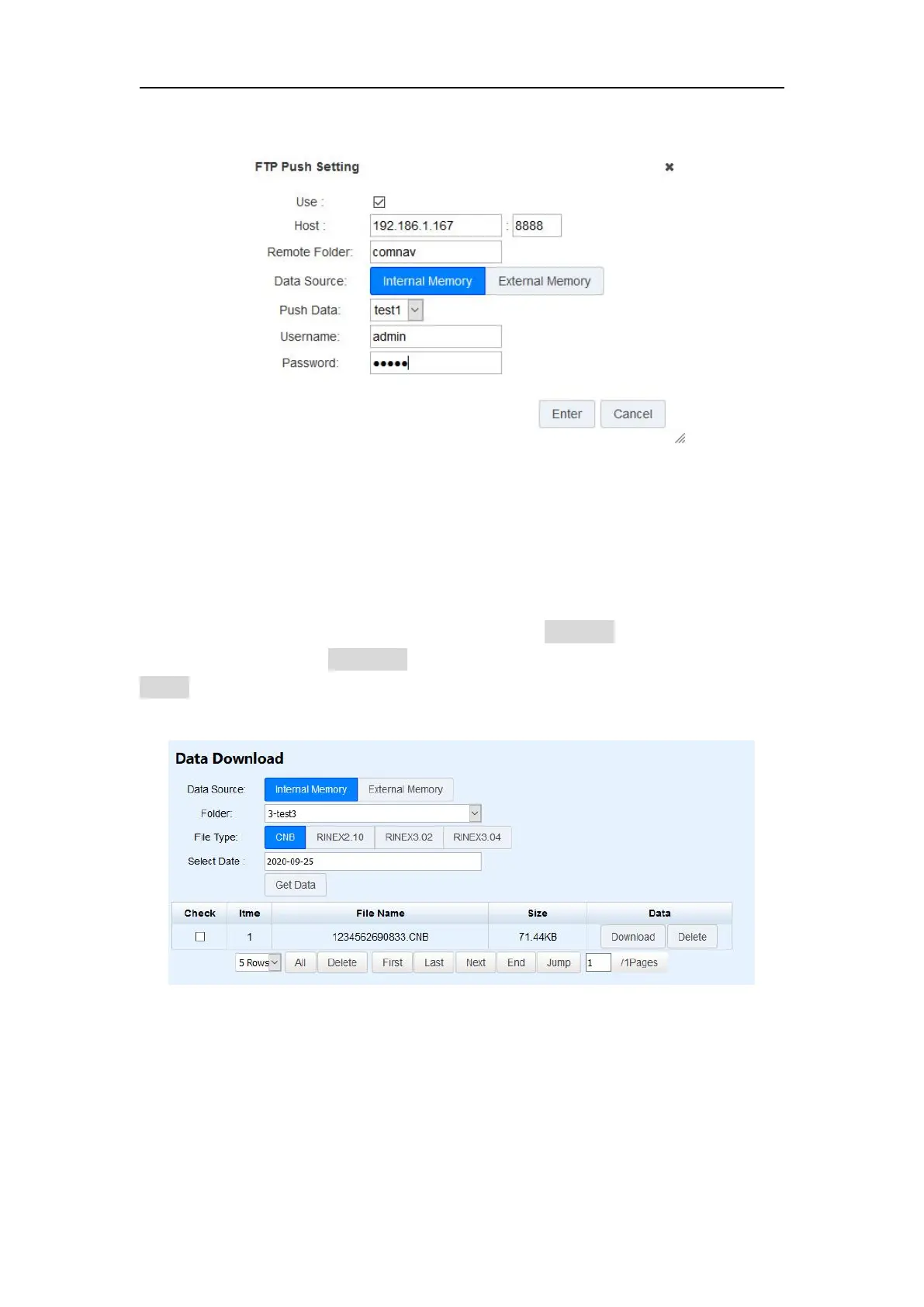
Firstly, select data source (Internal or external memory), folder name, file type (CNB\
Rinex3.04\Rinex3.02\Rinex2.10) and date. Then click Get Data, you will see data files
meet the demand. Click Download icon to download the data file you need, or click
Delete icon to delete this file.
2. Data download through a USB port
Use Lemo to USB cable to connect M300Plus with your office computer, internal
memory will be identified automatically as a removable disk. Double click to open
disk, and copy raw data files out.
3. Data download through FTP
Input FTP address in your browser, for example: ftp://192.168.1.236. Then download


 To Next Page