M300 Plus GNSS Receiver User Guide
29
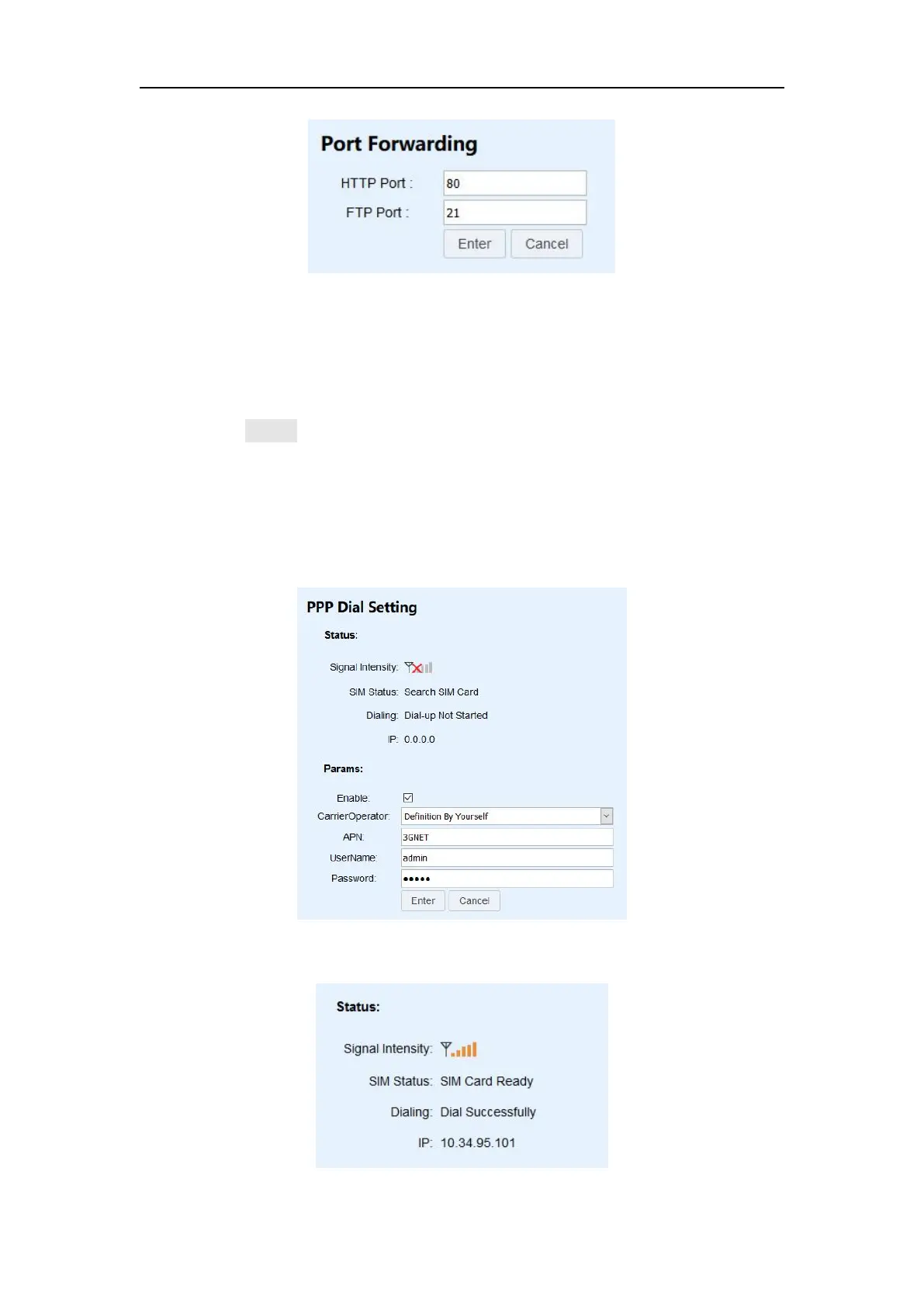
4.7.4 PPP Dial Setting
When you use a SIM card, you must enable this feature. It is best to insert the SIM
card before turning on the power, and connect the 4G antenna.
Check Enable checkbox to enable PPP dial
Carrier Operator: choose the carrier operator of your SIM card. If there is no
option you want to choose, you can choose Definition By Yourself.
VPN: Enter VPN according to the carrier of your SIM card.
UseName and Password: Username and password of your SIM card
Press Enter to save the configuration
When Status becomes as shown in the figure below, it means the dialing is
successful.


 To Next Page