M300 Plus GNSS Receiver User Guide
30
4.7.5 DDNS
Dynamic DNS (DDNS) is a method of automatically updating a name server in the
Domain Name System (DNS). M300plus has built-in Dynamic DNS capabilities, which
means that it is capable of sending an update to your DDNS account when your IP
address changes. After registering the DDN account, you can set it up in M300plus.
Before setting, you should ensure network cable is connected and routing setting is
eth0 now. Importantly, you need to register a DDNS account.
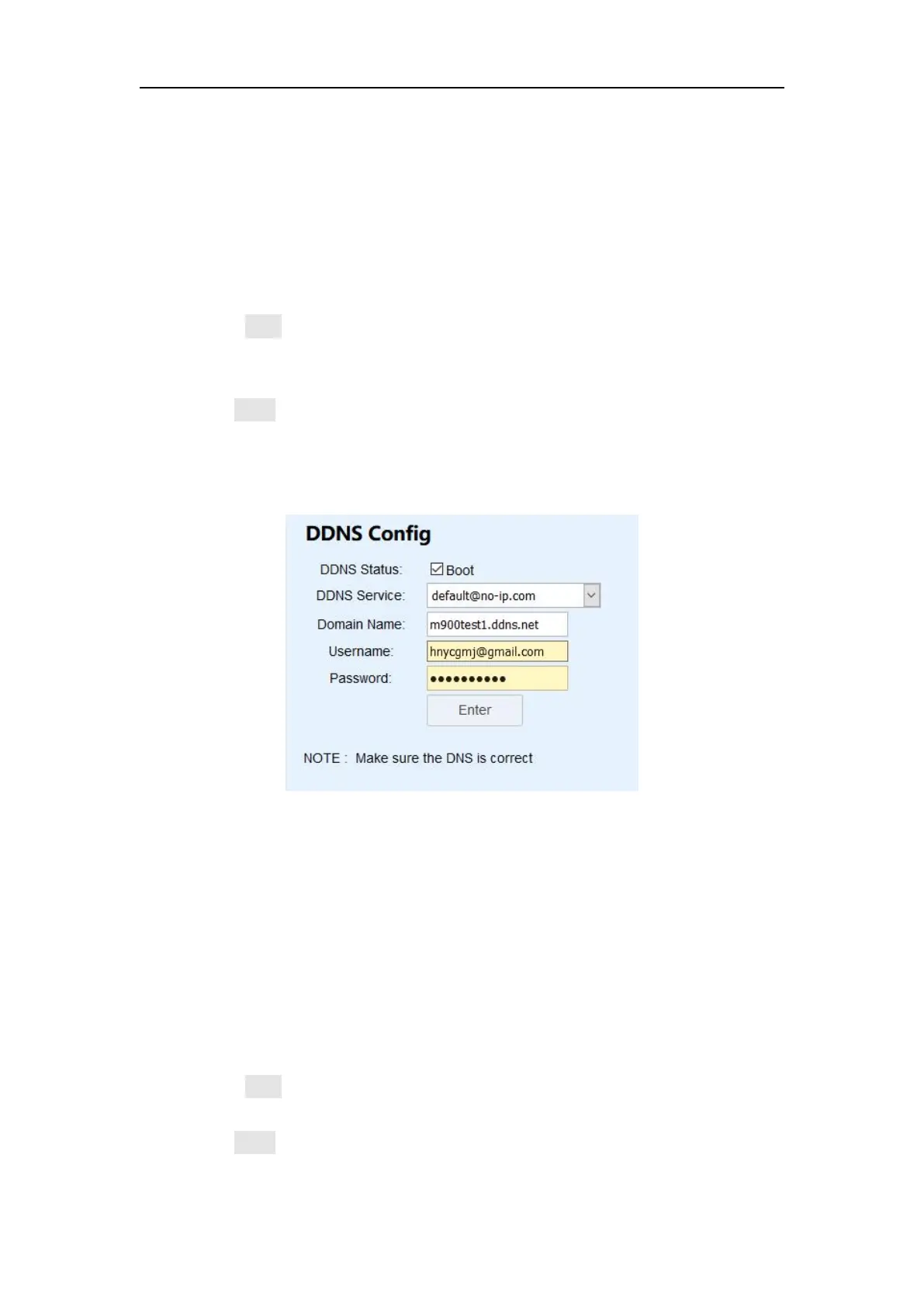
Check Boot checkbox to enable DDNS
Choose your DDNS Service, M300plus supports no-ip, dyndns and freedns.
Input your Username, Password and Domain name.
Click Enter to active DDNS feature.
After setting, you can input Domain Name in the browser to remote check the
webpage of M300plus. (When using this function, do not let the remote device and
M300plus be in the same LAN.)
4.7.6 natapp and Ngrok
Network Address Translation (NAT) is the process where a network device, usually a
firewall, assigns a public address to a computer (or group of computers) inside a
private network. Ngrok exposes local servers behind NATs and firewalls to the public
internet over secure tunnels. After registering the Ngrok or natapp account, you can
set it up in M300plus.
Before setting, you should ensure PPP dial is set successfully and routing setting is
ppp0 now.
Check Boot checkbox to enable ngrok
Input Domain Name and authtoken.
Click Enter to active Natapp/ ngrok service.


 To Next Page