Need help?
Do you have a question about the Sirman PLL 300 and is the answer not in the manual?
Details the slicer's shipping method, including pallet, box, and protective nylon, and disposal of materials.
Instructions for inspecting packaging for transport damage and reporting issues to the carrier immediately.
Lists components included in the package: machine, blade extractor, feet, and toolkit with accessories.
Guides on placing the slicer, attaching feet, and requirements for a stable, level surface with adequate space and environment.
Covers connecting single-phase and three-phase motors, specifying cable types, plugs, and differential switches.
Presents the electrical schematic for a 230V, 50Hz power supply, showing main board, motor, and other components.
Explains the function of each button and display on the control panel for operating the slicer.
Details pre-operation checks for manual and automatic slicing, including safety interlocks and self-start prevention.
Fundamental safety rules for installation, usage, and servicing, covering intended use and manufacturer responsibilities.
Describes the materials used for the slicer body (anodized aluminium alloy) and blade (hardened steel).
Details mechanical and electrical safety features such as gauge plane, ring, cap, pusher, handguard, and microswitch for operator protection.
Highlights the slicer's design purpose, safety, hygiene, precision, robust construction, and quiet operation.
Presents technical specifications including dimensions, weights, motor power, and noise levels for different models.
Step-by-step guide for performing initial checks before first use, ensuring correct installation and functionality.
Instructions for loading food and performing manual and automatic slicing, emphasizing safe handling and body positioning.
Provides safety warnings and detailed steps for sharpening the slicer blade to maintain precision and performance.
Emphasizes daily cleaning, use of provided detergent, and safety precautions prior to cleaning operations.
Details general machine cleaning procedures, including removal and cleaning of the hopper assembly.
Explains how to periodically lubricate the slide guides on the hopper assembly using the provided oil.
States essential preparatory steps before performing any maintenance operation on the slicer.
Notes that the belt does not require adjustment and typically needs replacement after 3-4 years.
Advises checking support feet for deterioration and contacting a service center for replacement if stability is affected.
Recommends periodic checks for wear or damage on the power supply cable and contacting a service center for replacement.
Instructs to check blade diameter after sharpening, noting a 10mm reduction tolerance, and contact service for replacement.
Advises checking grinders' abrasive property during sharpening and replacing them if no longer abrasive to prevent blade damage.
Describes applying a few drops of oil to the round bar where the hopper assembly slides for lubrication.
Suggests contacting a service center for replacement if the pushbutton panel label becomes damaged over time.
Lists error codes, their causes, and recommended remedies, advising to contact a service center if faults persist.
Instructs to disconnect the machine from mains and eliminate electrical connections to prevent unauthorized use.
Recommends contacting a local specialized waste treatment center for proper disposal of the machine.
Explains the WEEE symbol and the user's responsibility for contacting the manufacturer for waste treatment and recycling.
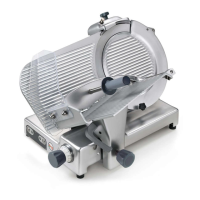
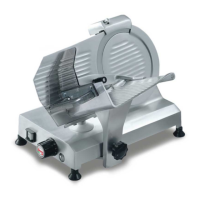
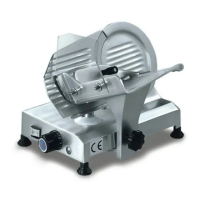
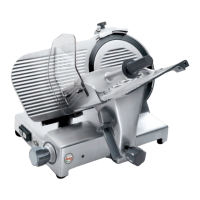
The document describes the "GRAVITA' PLL 300-330-350 AUTOMATICA" professional slicer, an EC-compliant device designed for slicing fresh boneless meat and pork products.
The slicer is designed for precise and safe slicing of food products. It can operate in both manual and automatic modes, offering flexibility based on user needs. The automatic mode includes features for setting the number of slices and adjusting hopper speed and travel, making it suitable for various product sizes and desired slicing speeds. The machine ensures maximum safety during use, cleaning, and maintenance operations through a meticulous selection of materials and integrated safety devices.
The slicer is constructed primarily from anodized aluminum alloy (Peraluman AlMg5), a food-grade material resistant to acid, salt, and oxidation. The blade is made of 100 Cr6 rectified, chrome-plated, and hardened steel, ensuring slicing precision even after sharpening. Other components are made from shockproof plastic (ABS) for the handguard and AISI 430 or 304 steel.
The available models are PLL 300, PLL 330, and PLL 350, with corresponding blade diameters of 300 mm, 330 mm, and 350 mm, respectively. Key dimensions and weights are:
Electrical connections vary by motor type:
Safety devices include:
The control panel features pushbuttons for "ON" (1) and "OFF" (2), hopper speed settings (fast (3), medium (4), slow (5)), and food product size settings (small (6), medium (7), large (8)). It also includes a button to enable/disable automatic hopper travel (9) and a slice count display (10) with "+" (12) and "-" (11) buttons to adjust the number of slices.
Positioning: The slicer should be placed on a level, dry, smooth, robust, and stable surface, approximately 80 cm from the ground and at least 20 cm from walls or other objects to ensure sufficient operating room and operator safety. The environment should have a maximum humidity of 75% (non-saline) and a temperature range of +5°C to +35°C.
Manual Slicing:
Automatic Slicing with Slice Counter Programmed:
Automatic Slicing without Programming Slice Counter:
Loading and Cutting:
General Maintenance:
Sharpening the Blade:
Routine Cleaning:
Slide Guides Lubrication:
Error Codes: The display shows error codes for specific faults:
Dismantling and Scrapping:
 General
| Brand | Sirman |
|---|---|
| Model | PLL 300 |
| Category | Kitchen Appliances |
| Language | English |

 To Next Page