SITA Messtechnik GmbH - Operating Instructions SITA ConSpector
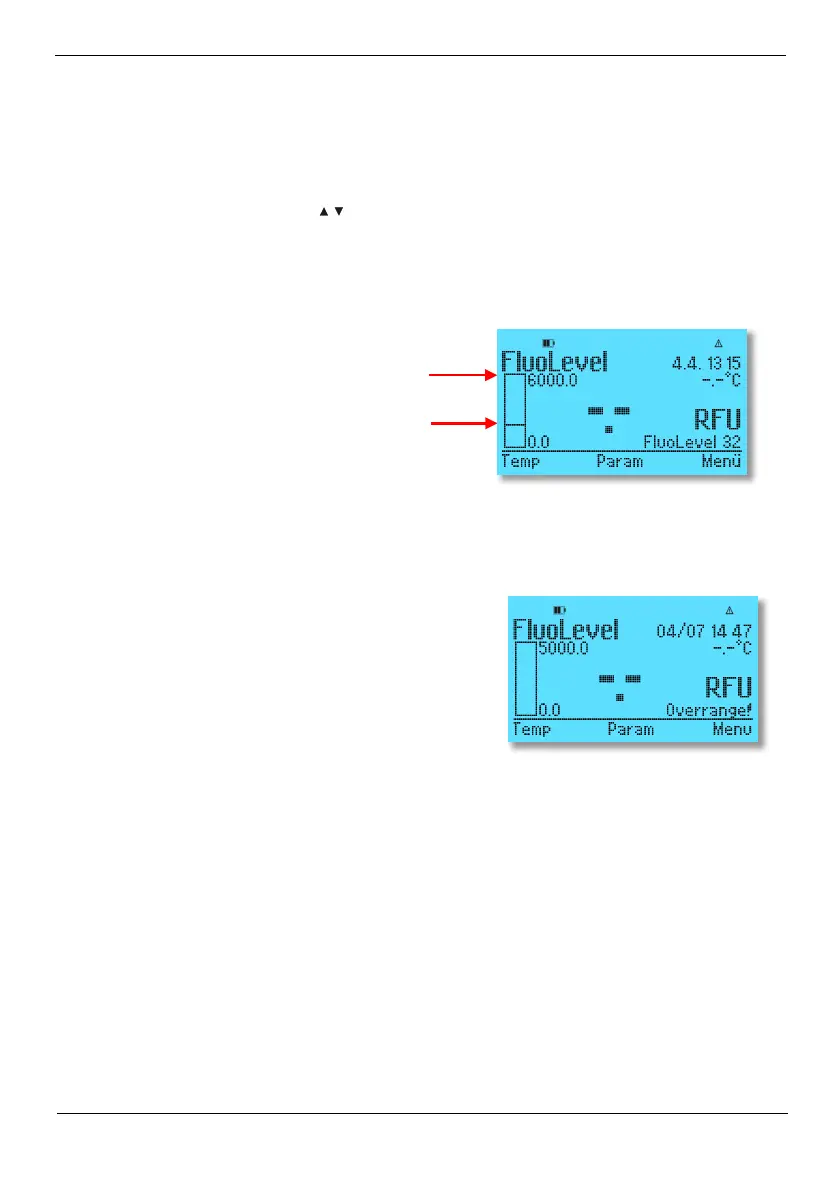
For better orientation, the current operating mode is displayed (FluoLevel: Determining the fluo-
rescence intensity, ContLevel: Determining the degree of contamination of a liquid, Concentration:
user-defined concentration characteristic curve). The recorded measured values always refer to the
respectively selected liquid profile ('Liquid x').
The software keys have different assignments. Depending on the operating state assignments may
be, for example, navigation arrows
or OK, Exit or ESC. The relevant assignments are explained
in the following sections as needed.
The freely selectable alarm limit AlarmbarMin corresponds to the bar minimum and the freely
selectable alarm limit AlarmbarMax to the bar maximum (here 6000). If the alarm limits are ex-
ceeded or not reached, the current measured value and the bar graph flash.
You can also freely select the warning limits. These are indicated by a horizontal line in the bar
graph (here at 2000). The lower or upper warning limit must always be above or below the re-
spective alarm limit.
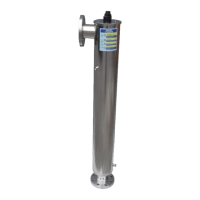
In case of warnings such as "ambient light fluctuation",
"overrange" or "check required", the measured value
flashes. In the software, the warning is additionally saved
as a comment on the measured value.


 To Next Page