SITA Messtechnik GmbH – Operating Instructions SITA ConSpector
4 Getting to know the device
4.1 Design
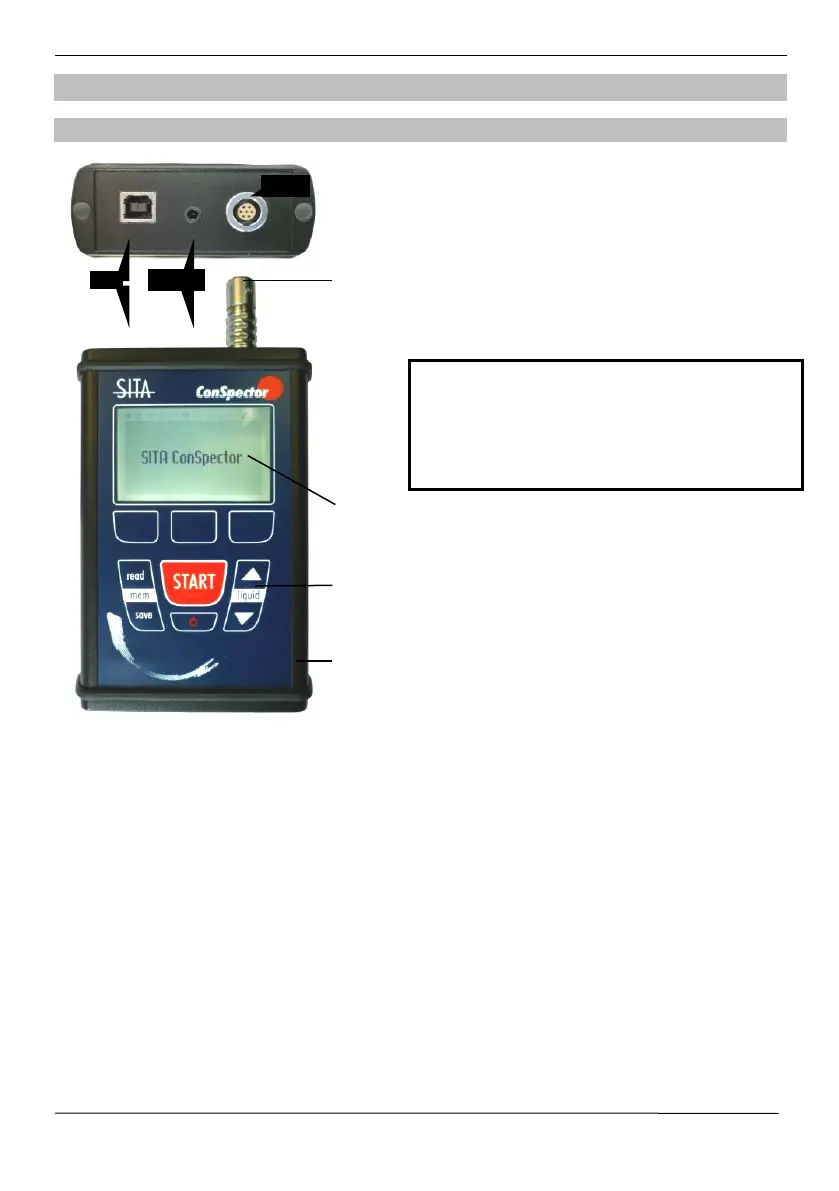
BASIC UNIT
USB: Universal interface (USB-B) for power supply/battery
charging (see section 4.3) and for connection to the PC
connects the basic unit with the sensor head
LCD graphic display with background lighting (see also
section 4.4)
Robust membrane keyboard for direct access to device
functions (see also section )
Sturdy aluminium housing
Log printer (optional)
To connect the connecting line with the basic
unit, make sure the socket and the plug are
properly aligned. An improper alignment or
force effects may damage the contacts.
(see section 5)


 To Next Page