SITA Messtechnik GmbH – Operating Instructions SITA ConSpector
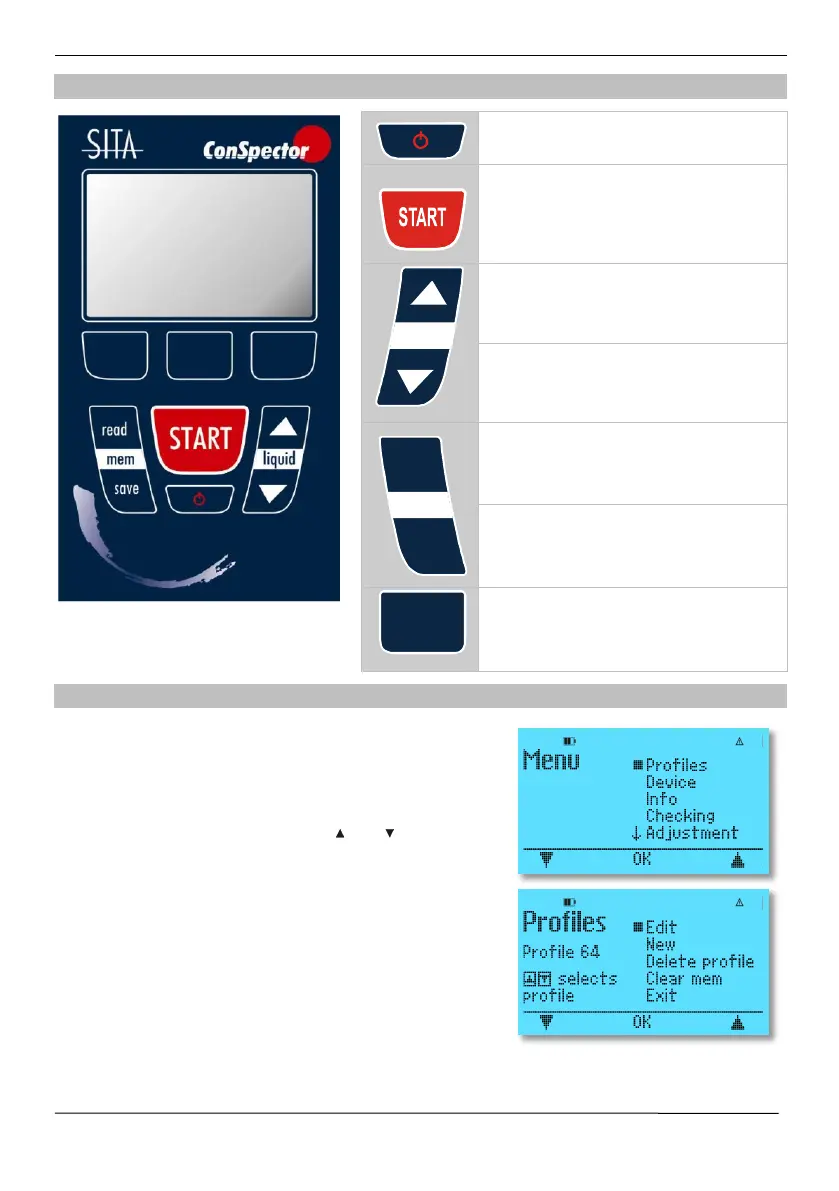
4.5 Keyboard
ON/OFF key. Switch device on and off
(press for 2 s)
Start or continue determining contami-
nation level
Select liquid profile up
Select liquid profile down
Read out stored measured data
Store measured data
Software keys with changing assign-
ments (Symbols in display)
4.6 Setting device options
Pressing the software key Menu in the main screen takes
you to the unit menu, which allows the basic unit settings in
addition to the profile settings.
The selection of a menu item or the selection of numerical
values is done with the software keys and .
The selection is confirmed in each case with the OK key.


 To Next Page