IDP 600 Terminal Series - Hardware Guide
© SkyWave Proprietary 31 T200, Version 02
CAUTION Do not force the connector pins
to mate since this
may damage the pins.
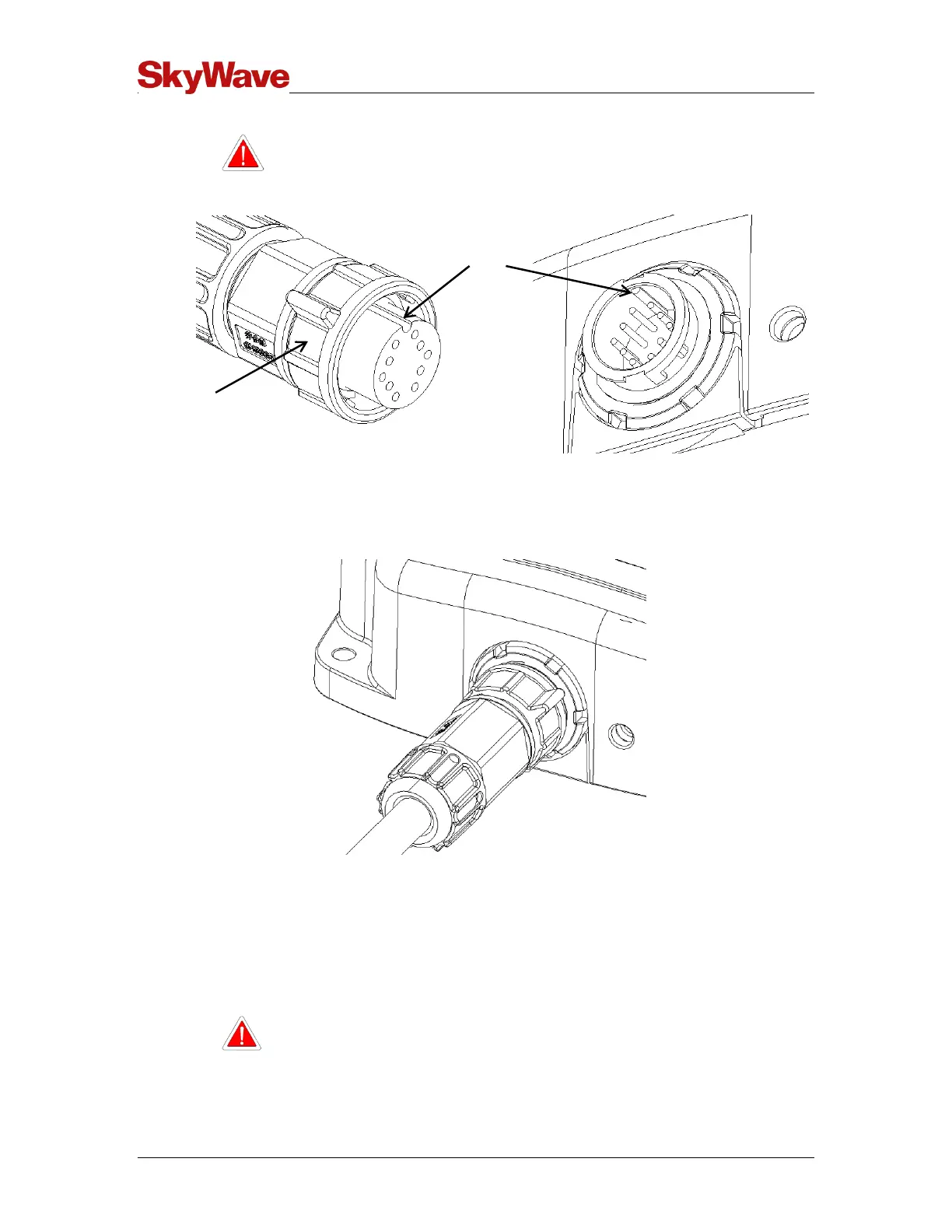
Figure 26 Key Slot
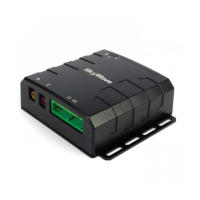
5. Tighten the cable connector with hand pressure by rotating the locking collar on the
cable connector clockwise. Do not use a wrench. A tactile click is felt when the
collar is properly engaged.
Figure 27 Cable Connector and Locking Collar
6. Wipe off any extra lubricant around the connector.
7. Wrap the mating connector with waterproof sealing tape if using the connector in
changing weather conditions.
4.7 Protect the Cables and Cable Connectors
CAUTION Cable management and connector strain relief must be
incorporated in the installation. SkyWave highly recommends
securing the cable at regular intervals along its length as part of
the installation to prevent cable wear and eliminate strain on the


 To Next Page