20
Error Messages
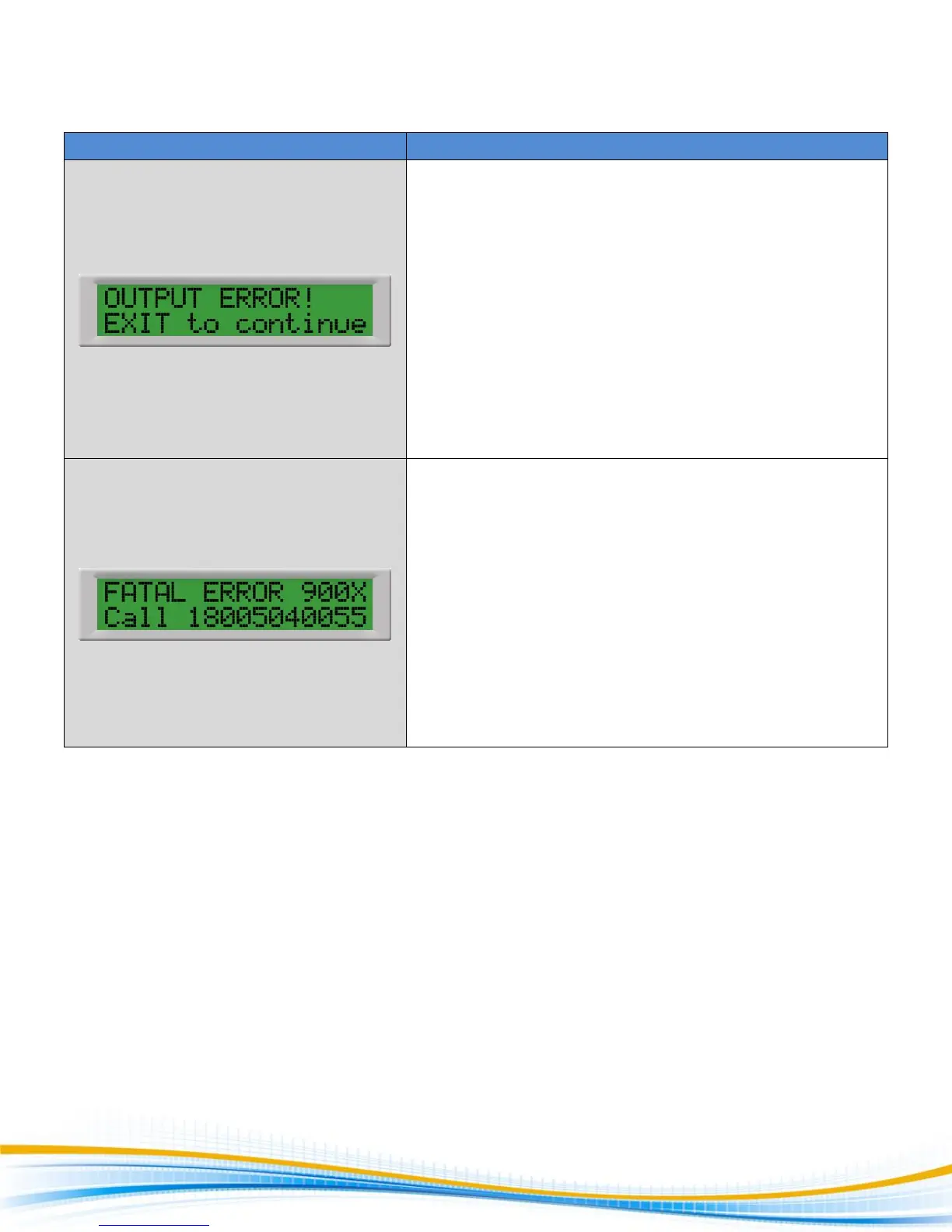
This message appears on the display, if the tester’s output
reading does not match the setting. When the tester has an
output problem and the TEST button is pressed, the Output
Error screen will appear.
The RESET button is not active in this situation. Only the EXIT
key will allow you to return to the test mode. When the EXIT
key is pressed the tester will continue with its normal failure
indication process. The failure light and Alarm can be cleared
by pressing the RESET button. If Output Error occurs please
call the Slaughter Company Customer Support Center at 1-
800-504-0055 for assistance.
All of the buttons and keys are not active in this situation.
This type of failure permanently locks the tester in the Fatal
Error mode and required that the tester be serviced by a
Slaughter Company authorized service center. Contact the
Slaughter Company Customer Support Center at 1-800-504-
0055 to receive further instruction.
FATAL ERROR 9002 will appear on the display, if the tester’s
System data or the Model/Option data are corrupted and do
not match the setting.
FATAL ERROR 9003 will appear on the display, if the tester’s
Calibration data is corrupted.
Reviewing Test Results for Multistep Sequences
After the test is performed, the test results will be indicated on the front panel display.
Pass: If the DUT passes the test, you will hear a short audible beep and the display will indicate the test result.
Fail: If a failure occurs, you will hear a long audible alarm and the red flashing indicator will light up. To stop
the alarm, press the RESET button.
The test results from the memories that are executed can be reviewing by pressing the Up () or Down ()
arrow keys. Successive key presses will continue advancing to the next result. The results of the last step in the
process will be followed by the first step when scrolling through the results. Results can be reviewed at any
time before the next test is executed. All results are cleared at the start of the next test cycle.



 To Next Page