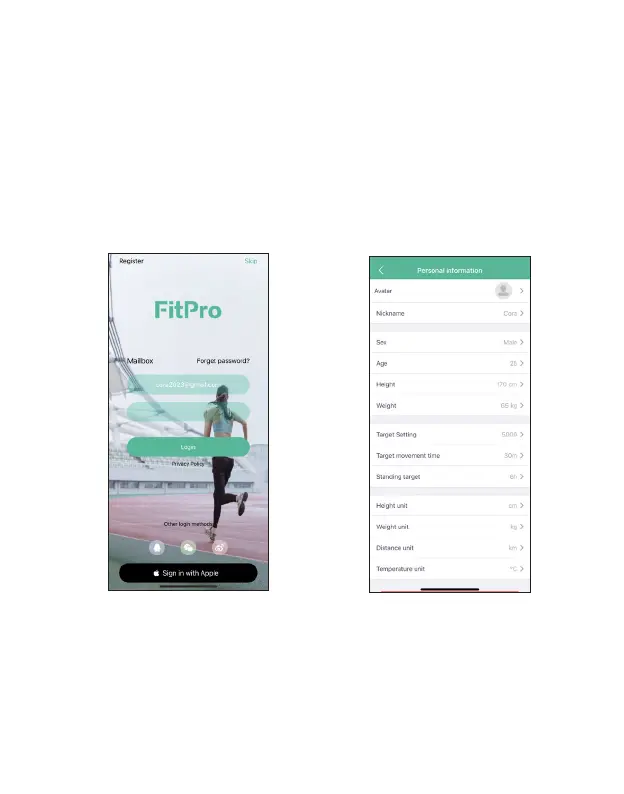
Set up account
With a FitPro account, your fitness, health and preferences can be safely and permanently
stored. Follow these steps to set up a new account:
1. Launch the FitPro App, tap Register at the upper left corner of the screen, enter your email and
password to set up a new account. For Apple user, you can also tap Sign in with apple by using the
apple account and password.
If you have a FitPro acount, enter your email and password, then select “Please read<User Protocol>
and <Privacy Protocol>”, and tap Log In. If you forget the password, you can tap “Forget the pass-
word” on the screen to set a new password.
2. Tap Me>Personal Information on the FitPro App to change your account personal information,
set step goal, etc..
EN 9 EN 10



 To Next Page