EN 5
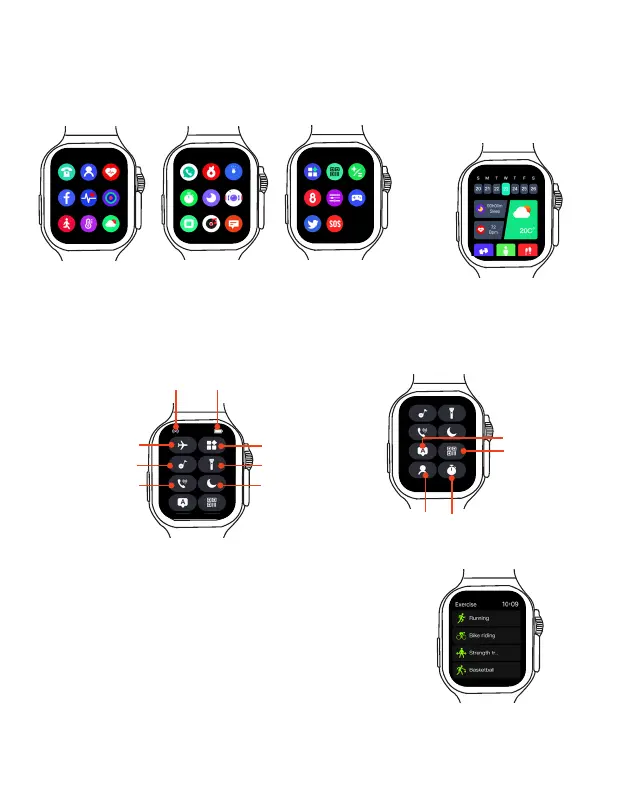
Shortcut Menu
Main Menu Home Screen
Flight mode
Menu style
StopwatchPhonebook
System language
QR code for
downloading
FitPro App
Connection status
Tap the icons on the shortcut menu to quickly configure the settings or use the app.
Power level indication
Flashlight
"Don't Disturb"
mode
Bluetooth Music
Bluetooth Call
Tap on the watch face screen to display the App main
menu. Swipe up and down to navigate through the menus,
tap on your desired app icon to open the app.
On the watch face screen,
swipe right to enter the home
screen, swipe up and down to
navigate through the apps on
the home screen.
EN 6
Customize the Shortcut button
To customize the shortcut button, select Settings from the
main menu, and tap Function Key Set to select your desired
app for customizing the Shortcut button. Then you can press
the Shortcut Button on the left of the smart watch to quickly
use the app.



 To Next Page