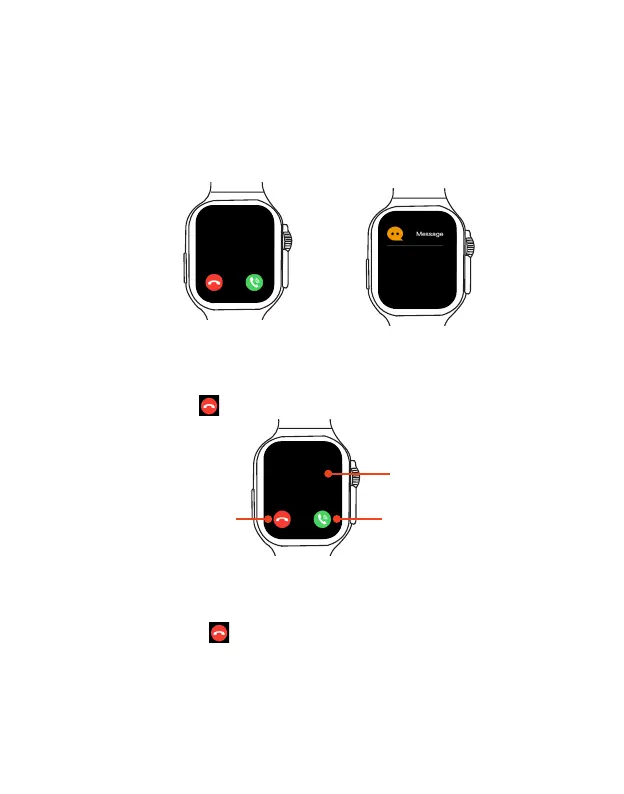
Phone call and Message Notifications
If you have paired and synced your watch with your phone, then when you receive a call or
message, your watch will vibrate, ring and display the caller's number and name.
Notes: Incoming calls and messages will be displayed on your watch in the same way the
information is displayed on your phone. If the caller or message sender is unknown, the phone
number will be displayed. If you have the number saved in your contacts, the caller's name will
be displayed.
Answer a call: When you hear or feel the call notification, raise your wrist to see who’s calling.
Tap the Answer button on the screen to talk using the built-in microphone and speaker. In the
answering watch screen, tap to end the call.
Answering an incoming call
Reject an incoming call: When you hear or feel a call coming in, raise your wrist to see who’s
calling. Tap the Reject button on the screen to reject the call.
Reject an incoming call
Incoming call
Answer button
Lucy
Lucy
Lucy: Sorry, i am in a
meeting, i will call you
later.
Reject button
13:11
EN 13



 To Next Page