Stopwatch
Open the Stopwatch app in the main menuto use your stopwatch.
Tap Start to start timing, and tap Pause to pause timing;
Tap Reset to reset the stopwatch. Swipe right on the screen to close the stopwatch.
Weather
Once your Smart Watch is connected to your phone and FitPro App, on the Home screen or
main menu, select the Weather App to view local weather.
Note:
In your phone's settings, make sure your phone has enabled location access to FitPro.
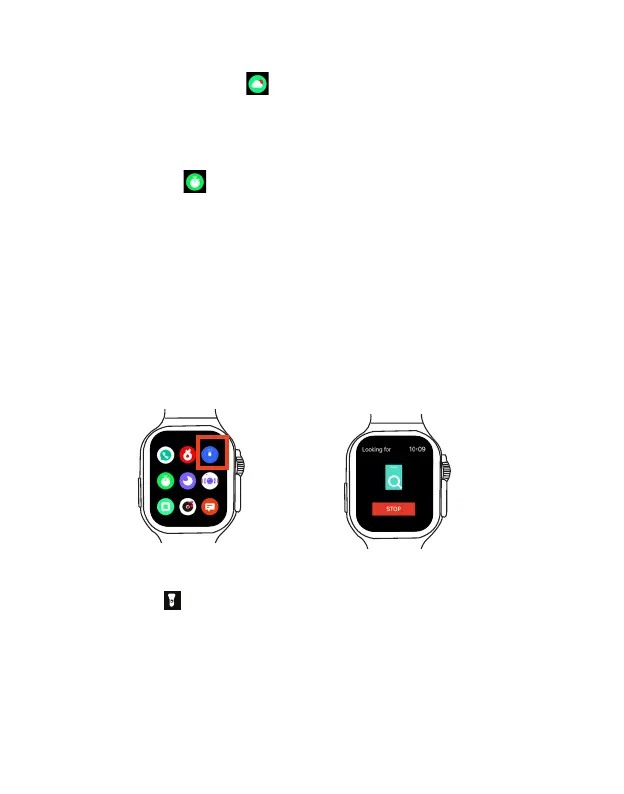
Find my phone
If you forget where you left your phone, you can use this feature to locate it with your
Smart Watch
.
To enable this feature, ensure that the Smart Watch is connected to your phone and the FitPro
App.
Select Find Phone App on the main menu. Tap Start to send the alert to your phone. Your
phone will play a ringtone to alert you of its location. You can stop it by tapping Stop again or
tap Confirm in the FitPro App of your phone.
Flashlight
In shortcut menu, tap to turn on the flashlight. Swipe right on the screen to close the
flashlight.
EN 23



 To Next Page