EN 4
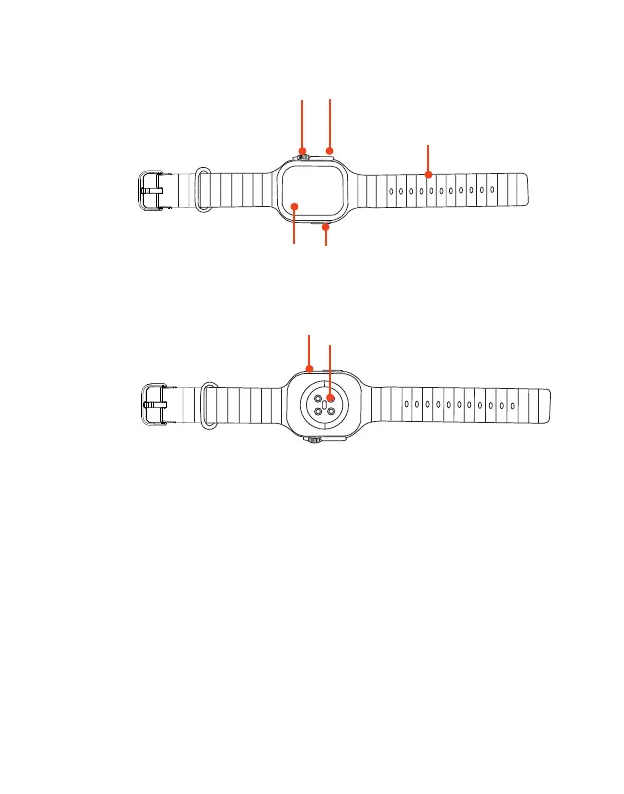
Buttons and parts
Front View
Rear View
Display screen
Shortcut button
Strap
Home button
Adjusting Knob
Heart rate sensor/Magnetic
Charging contacts
Microphone
Adjusting knob: This button has all the same control functions as the Home button. In addition,
For watch face screen, turn the knob to change watch face; For main menu screen (Menu style 1),
turn the knob to zoom in or out.
Home Button: In power off mode, press and hold for 2 seconds to power on.
Press to wake the screen, go to standby mode, or return to watch face screen.
For watch face screen, press and hold this button to display shutdown/reset menu. In Standby
mode, press and hold this button to turn the smart watch off.



 To Next Page