Lock and wake your Smart Watch screen
Turn the screen off
By default, the Smart Watch screen will automatically sleep after 15 seconds.
Waking the screen
To wake the screen, press the Home Button or Adjusting Knob, and the screen will activate.
EN 8
Set language
Before using the Smart Watch, make sure you have the correct language and time zone.
After you have successfully gotten the Smart Watch paired with your phone and the FitPro
app (Refer to the "Get started" section"), then the Smart Watch will automatically sync the
language and time zone used in your phone.
There are also 2 methods that you can also set the language for the Smart Watch.
1. By the shortcut menu
Swipe up on the watch face screen to display the shortcut menu, Tap the Language icon to
enter the language settings.
2. By the system setting menu
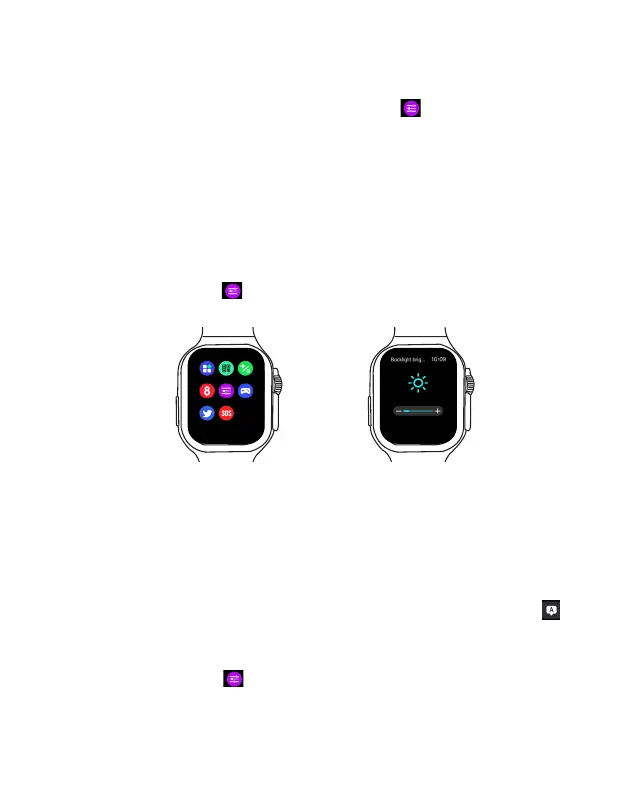
Adjust screen brightness
On the main menu, tap Settings to enter the System Settings menu, and swipe up and down
to select Backlight Brightness, then tap + or - to adjust the screen brightness.
On the main menu, tap Settings to enter the System Settings menu, and swipe up and down
to select Set Language to enter the language settings.
When enabling the "Lift wrist to bright screen" feature, you can also raise your wrist to wake the
screen. To enable this feature, open the FitPro App, tap Settings > Lift wrist to bright screen, and
enable Wrist Sense.
To set display screen-on time, on the main menu, tap Settings to enter the System Settings
menu, and swipe up and down to select Backlight time.



 To Next Page