8
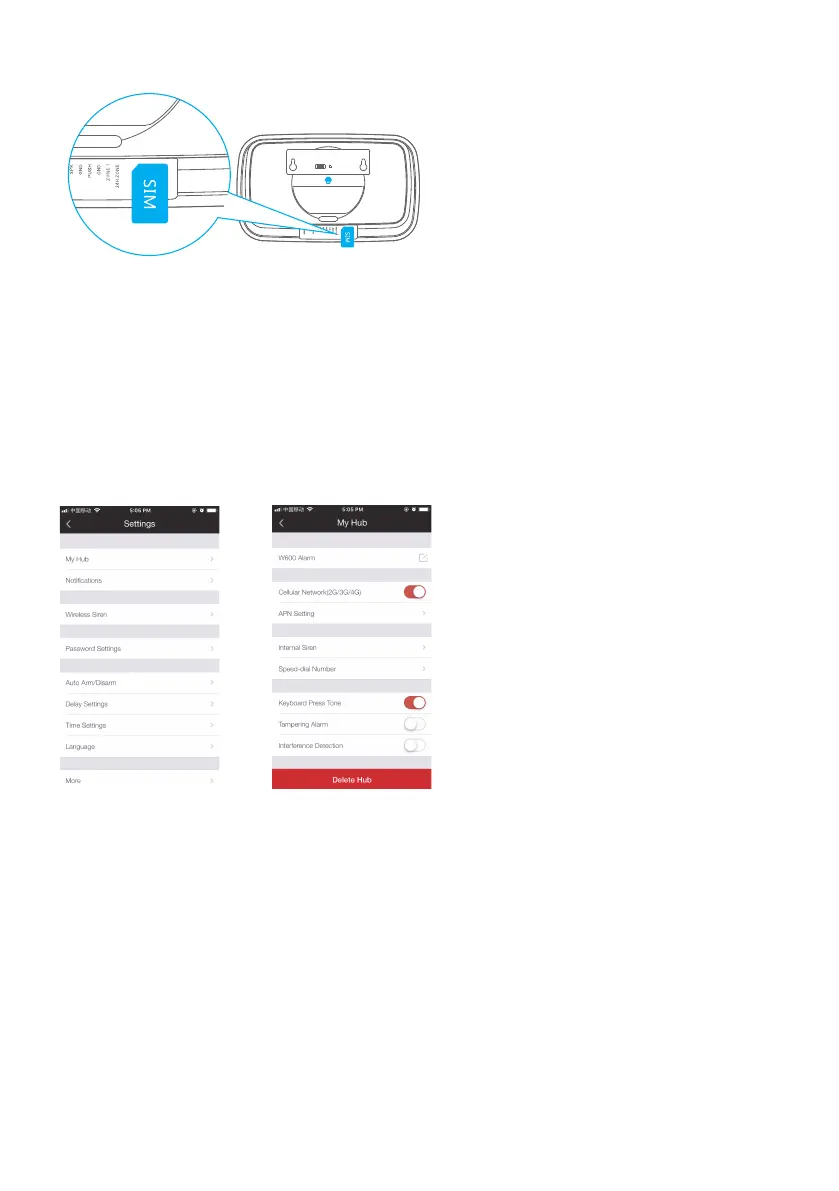
2. Insert the SIM Card
3. Connect the hub with the provided AC adapter and turn the power switch of the
hub from “OFF” to “ON”, the cellular icon on the LCD screen will stop ashing when the
network is connected.
* To connect hub to the appropriate network from the cellular provider, you might be required to complete
the APN setting if the cellular icon keeps ashing slowly (once per second).
Go to Settings - My Hub - APN Settings, input required information for cellular data
and tap OK.
The APN setting varies from country to country. Please consult with the local operator
on how to set the APN correctly.



 To Next Page