39
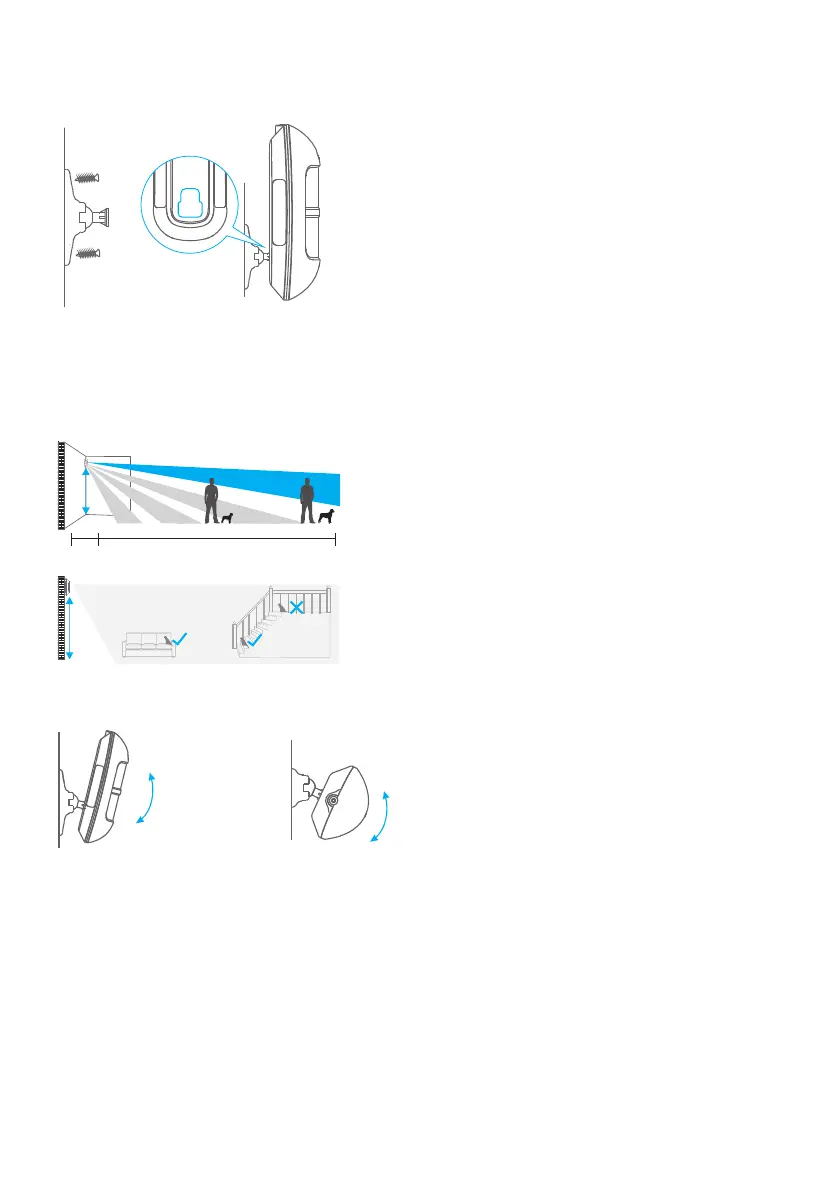
Step 2: Mount the detector on a wall by installing the wall mount with the included
screws and attach the detector.
Step 3: To test the detector press the test button on the back. It will enter and remain
in testing mode (detect once every 10 seconds) for 3 minutes. Walk into the view of
the detector and look for a red light. The LED indicator will blink when movement is
detected.
2m
1m
9m
2m
Step 4: Adjust the angle of your unit.
Side View
Top View
Restoring to Factory Settings
Input the admin password TWICE and hold the disarm button for 3 seconds, the panel
will beep twice to indicate the system has been restored.
Note: Restore the hub to factory settings won’t delete the pre-paired accessories.



 To Next Page