12
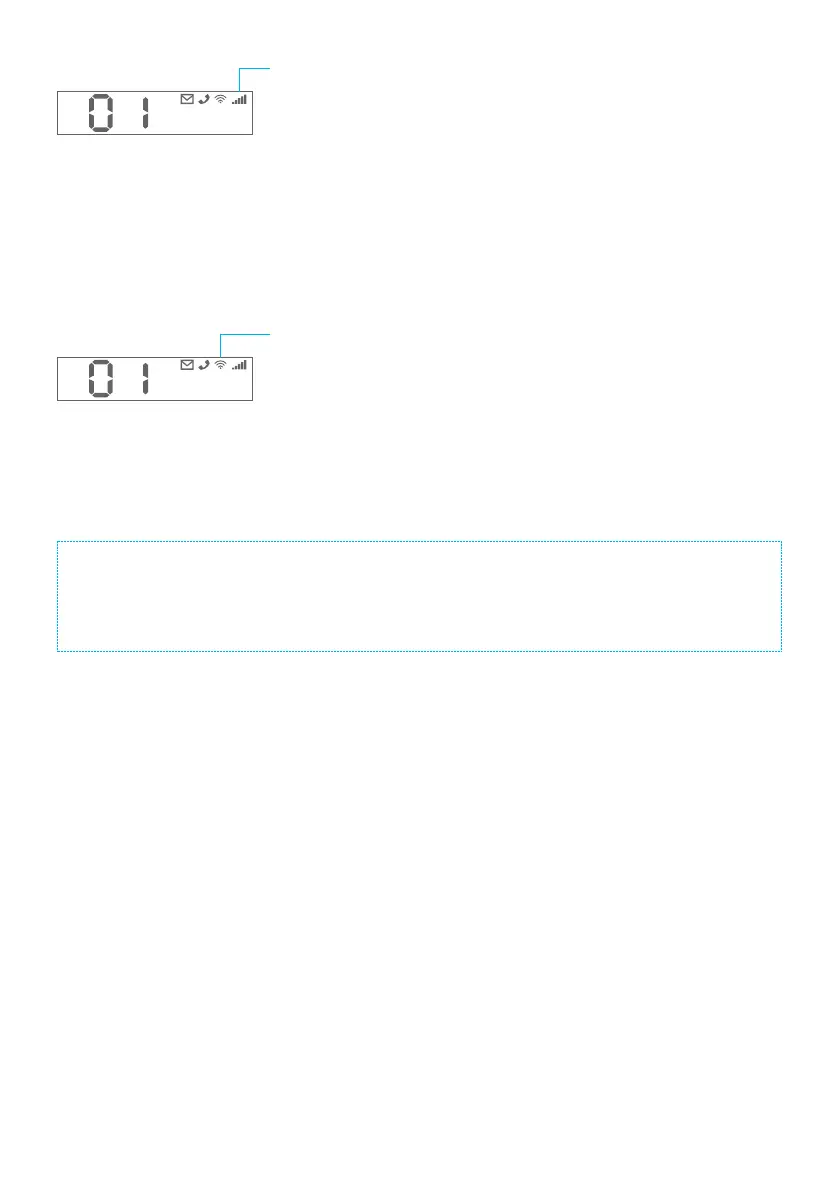
Cellular Indicator
Blinking slowly: Searching for cellular network
Blinking quickly: Cellular network is connected, but not
connected to the server
Solid: Cellular network is connected
Cellular signal bar: Show the current signal strength of the
cellular network connected
Off: No SIM card inserted or cellular has been deactivated
on the app
WiFi Indicator
Blinking slowly: Searching for WiFi network.
Blinking quickly: WiFi network is connected, but not
connected to the server.
Solid: WiFi network is connected.
WiFi signal bar: Show the current signal strength of the
WiFi network connected
The hub must be always connected to AC power in order to maintain a WiFi connection. When AC power
is lost within 2 minutes, the hub will send out push notications to users alerting them of the power failure.
The WiFi connection is automatically disabled and the system switches to the cellular network (if a SIM
card has been inserted). The system will remain active and continue to monitor during a power outage. If
the system is armed, it will activate its onsite alarm if a sensor is triggered.
How to identify if the system is working through WiFi or cellular?
Working through WiFi: The WiFi icon is steadily shown.
Working through cellular: The WiFi icon blinks and the cellular icon is steadily shown.



 To Next Page